


A corporate card with an expenses tab is a core part of modern corporate card expense management, centralizing all your company's spending in one place to help you track transactions, manage approvals, and enforce spending policies automatically.
This guide will walk you through the key factors to consider when choosing a platform. We'll cover criteria like fees, spend controls, issuance speed, rewards, and integrations, explain how our platform addresses each, and show you how to get started with Rho.
What is an expenses tab overview for corporate cards?
An expenses tab overview is the command center for your company's spending. It’s a unified dashboard where every transaction made with a corporate expense card is automatically logged in real time.
This gives you complete visibility, allowing employees to track their own expenses while administrators can monitor spending across the entire organization or within specific departments. It’s designed to provide oversight and control over all card-based expenses.
Key features of corporate cards with an expenses tab overview
- Automatic logging of all card transactions in real time
- Built-in policy enforcement that flags non-compliant spend as it happens
- Customizable, multi-level approval workflows based on team, user, or amount
- Mobile receipt capture and automated reminders for transaction details
- Direct synchronization with accounting software to reduce manual entry
- Role-based views for company-wide, department, and individual expense tracking
Simplify expense tracking with Rho Expense Management
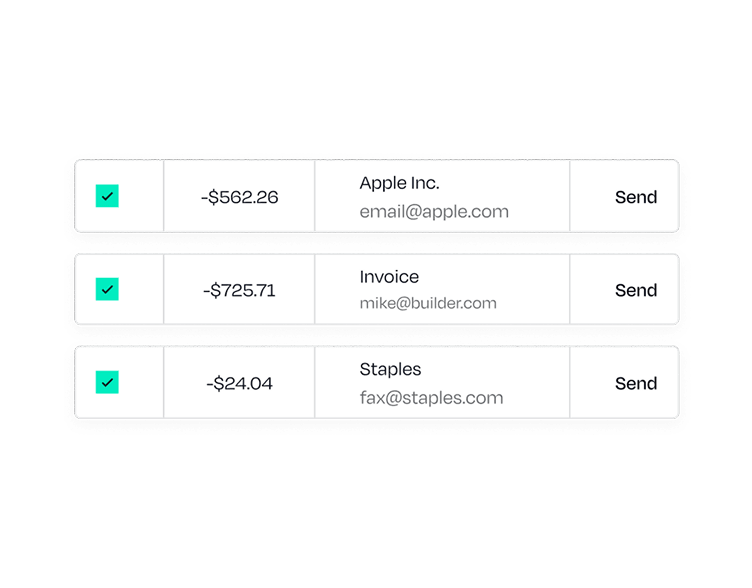
If you're looking for a comprehensive solution, our Expense Management platform is built to give you total control and clarity over your company's finances. It combines powerful corporate expense cards with an integrated system that automates compliance and reporting, saving you valuable time.
Unlike standard options that require manual report building and receipt chasing, our platform automates the entire process from the moment a transaction occurs.
Here is what that includes:
- Automatic transaction capture: Every purchase made with a Rho card flows directly into the Expenses Tab, eliminating the need for manual data entry.
- Real-time policy checks: Our system flags out-of-policy spend instantly, so you can address issues before they affect your books.
- Role-based views: Provide tailored access for administrators, department heads, and individual employees to see the spending information relevant to them.
- Automated accounting syncs: Connect directly with your accounting platform to close your books faster without manual reconciliation.
The platform also supports multi-level approval workflows, reimbursements for out-of-pocket spending, and on-the-go management through our mobile app.
Tips to choose the best corporate card with an easy expenses overview
Choosing the right platform for corporate card expense management is key to maintaining financial control as you scale. When you evaluate your options, focus on how the system automates work and provides clear visibility for your entire team.
- Prioritize real-time policy controls. Look for a system that enforces your spending rules at the point of sale, not just flagging issues later. This gives you proactive control over your budget.
- Evaluate the end-to-end user experience. The best tools are simple for everyone. Check for features like a mobile app that makes it easy for employees to capture receipts and categorize expenses on the go.
- Confirm the level of accounting automation. To truly save time, you need more than a CSV download. A valuable corporate credit card expense management software will sync transactions directly to your general ledger, automating a critical part of your financial close.
- Ensure the platform can scale with you. As your startup grows, you'll need customizable approval workflows and role-based permissions for new team members and departments.
- Analyze the total cost of ownership. Some platforms have hidden per-user or platform fees that can add up. We believe in transparent pricing, which is why our platform is free for all Rho customers.
How to set up the Expenses feature on Rho
Getting started with our Expenses feature is straightforward because it's enabled by default for all Rho accounts. You can configure it to match your company's specific financial policies and workflows.
Here’s how to set up your expense management process:
- Define your expense policies. Start by creating custom spending rules in the Policies tab. You can set rules by budget, amount, or merchant to keep spending compliant without needing constant oversight.
- Configure approval workflows. Establish clear approval paths for expenses. Our platform allows you to set up multi-level approvals based on dollar amounts or route submissions directly to a manager, ensuring the right person reviews each transaction.
- Connect your accounting software. Automate your bookkeeping by connecting Rho to your accounting system. You can sync transactions directly to your general ledger, which helps you close your books faster. For a full list of our direct integrations, visit our Accounting Integrations page.
- Onboard your team. Once your policies are set, your team can begin using the feature immediately. All Rho card transactions will automatically appear in the Expenses Tab, where employees can manage their own spending and administrators can view company-wide activity.
FAQs about expenses tabs for corporate cards
How are expenses coded in Rho?
You can code expenses with attributes pulled directly from your integrated accounting platform for seamless reconciliation. Admins can also set up custom attributes to give employees more controlled coding options, ensuring every transaction is categorized correctly from the start.
Can my team manage expenses on the go?
Yes, our mobile app for iOS and Android lets your team manage expenses from anywhere. Employees are prompted to upload receipts and add details right after a purchase, which helps eliminate end-of-month receipt chasing.
How does Rho handle out-of-pocket reimbursements?
Our Expense Management platform supports reimbursements for out-of-pocket spending. You can apply the same automated expense rules and multi-level approval workflows to reimbursements that you use for your corporate expense cards, keeping all company spending compliant and centralized.
What if we don't use one of your direct accounting integrations?
If your accounting software isn't on our list of direct integrations, you can still reconcile your books quickly. We provide extensive CSV reports and bulk receipt file exports to make the process straightforward.
Can we set specific spending rules for different cards?
Absolutely. You have granular control over each card. You can set specific spending limits, restrict merchant categories, and create rules that require receipts or notes for certain transactions, giving you peace of mind over your team's spending.
Can we issue virtual cards to our team?
Yes, you can instantly issue virtual cards to your team members through the Rho platform. Employees can access and use them for online payments directly from our mobile app, providing a secure and convenient way to manage vendor and subscription spending.
Get started with Rho Expense Management today
Take control of your company's spending and give your team the tools they need to stay compliant without the administrative burden. Our platform provides the financial clarity and automation you need to focus on growth.
Sign up here today.