


Virtual corporate cards are digital-only cards with unique numbers that can be created instantly for specific vendors or one-time purchases, giving you precise control over spending.
Creating cards in a mobile app means you can equip team members with spending power from anywhere, at any time, directly from your phone.
As a comprehensive virtual card issuance platform, Rho lets you create an instant issuance virtual card with custom rules, supporting both credit and debit options to fit your financial strategy.
Virtual corporate cards that you can create from a mobile app are digital cards that allow you to instantly equip your team with spending power, wherever you are.
This guide will walk you through the key factors to consider when choosing a provider for virtual card issuance. We'll evaluate options based on criteria like fees, spend controls, issuance speed, rewards, and accounting integrations, showing how our platform addresses each point and how you can get started.
What are mobile issuance cards?
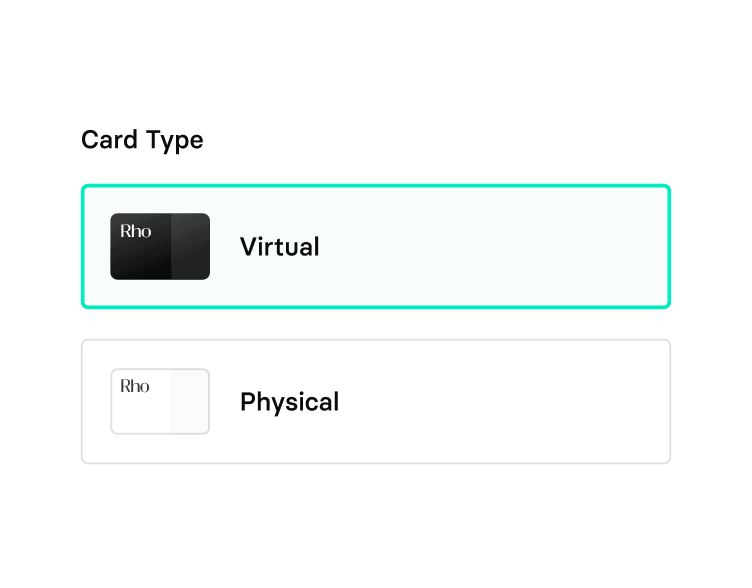
Mobile issuance cards are created through a dedicated function within a financial platform’s mobile app. The process is typically straightforward: you navigate to the cards section, tap to create a new card, and choose whether you need a virtual or physical one.
You can then assign the card to yourself or a team member. An instant issuance virtual card is generated immediately, and the recipient is often notified by email, allowing them to add it to a digital wallet for use right away. This capability is a core part of modern virtual card issuance platforms.
Key features of virtual corporate cards created in the mobile app
- The ability to create both virtual and physical cards
- Options to assign cards to yourself or other team members
- Immediate use by adding cards to a digital wallet
- Tools to lock and unlock cards for added security
- Automated notifications when a card is issued to a team member
Create virtual cards with the Rho Mobile App today
For founders on the move, the Rho Mobile App is an excellent choice for managing your company's finances. It's designed to give you full control over your spending, even when you're away from your desk.
Our app simplifies how you equip your team, moving beyond standard options that can cause delays.
Here is what that includes:
- Create both virtual and physical corporate cards directly from the app, offering flexibility for any spending need
- Our process for virtual credit card issuance is instant, allowing team members to add new cards to a digital wallet for immediate use
- Assign cards to yourself or other team members, ensuring the right people have spending power exactly when they need it
- Monitor spending in real-time and instantly lock or unlock cards from your phone for greater security and control
The app also supports your broader financial operations. You can manage expense management by submitting receipts on the go, depositing checks into your business banking account, and approving payments, all from your phone.
Tips to choose the best cards that allow mobile issuance
Choosing the right provider is about finding a partner that supports your financial agility. Here are a few key things to look for when selecting a platform for virtual card issuance.
- Evaluate the full mobile experience, from creating cards to managing spend controls and submitting expenses on the go.
- Prioritize platforms that offer immediate card usability through digital wallets like Apple or Google Pay.
- Confirm a transparent fee structure with no annual, per-card, or platform fees that could impact your bottom line.
- Look for granular, app-based controls to set spending limits and merchant restrictions for each card.
- Assess the rewards program; a straightforward cashback system can provide more direct value to your business than complex points programs.
- Check for automated accounting integrations that sync transactions in real time to simplify bookkeeping.
How to set up virtual cards on the Rho Mobile App
Getting started with our mobile app is simple. You can issue cards for your team in just a few minutes, directly from your phone.
Here’s how to create a virtual card:
- Download the Rho app from the App Store or Google Play Store.
- Once you're logged in, navigate to the ‘Cards’ tab at the bottom of your screen.
- Tap the ‘+’ icon in the top right corner to begin creating a new card.
- Choose the virtual card option and assign it to yourself or a team member. The card can then be added to a digital wallet for immediate use.
FAQs about mobile issuance cards
What kind of cards can I issue with the Rho app?
You can issue both virtual and physical Rho Corporate Cards, which are Mastercards. While our platform does not currently support virtual debit card issuance, our corporate credit cards provide robust spending controls and cashback rewards to help you manage your company's finances effectively.
Are there limits on how many virtual cards I can create?
No, there are no limits. Our platform allows you to create unlimited virtual or physical cards for your team members, vendors, or specific expense categories at no extra cost. This gives you the flexibility to manage spend with precision as your company grows.
Can I set spending controls on cards issued from the mobile app?
Yes, you have full control directly from the mobile app. You can view and edit card controls, including setting spending limits and merchant category restrictions, to ensure all spending aligns with your company policy.
How do my team members receive the virtual cards I issue them?
When you issue a card to a team member, they instantly receive an email notification. This email invites them to view their new card details securely and add the card to their mobile wallet for immediate use.
How does this integrate with my accounting software?
Our platform is built to simplify your bookkeeping. Transactions sync in real time with accounting software like QuickBooks, NetSuite, and Xero, which helps automate reconciliation and gives you a clear view of your company's financial health.
What are the eligibility requirements to get started with Rho?
To be eligible for Rho, your business must be based in the United States. We work with a wide range of companies, from early-stage startups to established businesses, and do not require a minimum annual revenue. However, we do not currently offer services to sole proprietorships or unincorporated businesses.
Get started with Rho Mobile App today
The Rho Mobile App is designed to support your company's growth by giving you complete financial control from anywhere.
Equip your team, track spending in real-time, and manage expenses on the go, so you can dedicate your attention to what's most important.
You can sign up here today.