
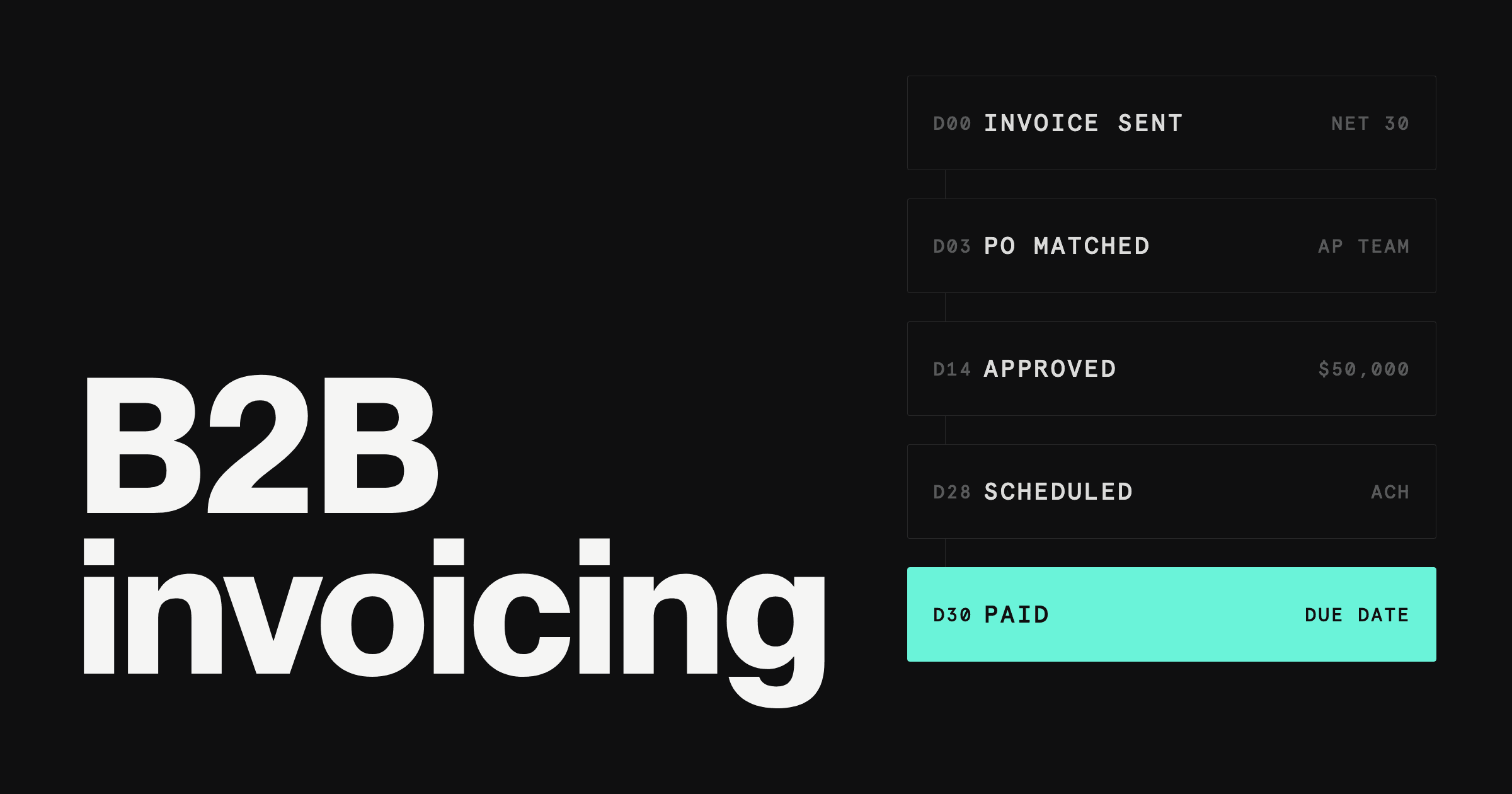

You sell to other businesses. Your invoices are bigger than a consumer receipt, your customers pay on Net 30 or Net 60, and the check, wire, or ACH that finally arrives has to be matched to the right invoice by someone.
That is a different job from billing a consumer, and it needs different software. This guide compares nine B2B invoicing tools on how they handle large invoices, payment terms, and the customer's accounts payable team.
It covers sending invoices and getting paid, the accounts receivable side. If you are looking for software to process the invoices your vendors send you, see our guide to invoice processing software. Early-stage teams that want a broader list can start with our best invoicing tools for startups.
Highlights
Best for US-incorporated B2B companies that want invoicing, ACH and domestic wire collection, and the business account in one platform: Rho. $0 per invoice and $0 per month for Rho customers; card payments cost 2.9% + $0.30 each, paid by the business.
Best overall for accounting-led teams: QuickBooks Online. Recurring invoices, reminders, and payment matching inside full accounting, from $38 a month.
Best for multi-currency and growing teams: Xero. No per-user license fees, with multiple currencies on the Established plan.
Best value: Zoho Books. A free plan for businesses under $50K in annual revenue, with a customer portal on every plan.
Best for SaaS and usage-based billing: Stripe. Invoicing from 0.4% per paid invoice, with virtual bank account numbers that reconcile ACH credits automatically.
Best for AP and AR with approvals: BILL. Payables, receivables, and approval policies on one plan, from $49 per user a month.
Best for service firms: FreshBooks. Recurring invoices, late payment reminders, and ACH on every plan, from $23 a month.
Best for subscription billing: Chargebee. Subscription, usage, overage, and one-time charges on a single invoice.
Best for enterprise and multi-entity companies: NetSuite. AR, collections, and automated reconciliation inside a full ERP.
Quick answer: the best invoicing software for B2B businesses
Three of the best invoicing software options for B2B businesses in 2026 are Rho, QuickBooks Online, and Xero, depending on how you bill and how your customers pay. Rho is one of the best options for US-incorporated B2B companies that want invoicing, ACH and domestic wire collection, and the business account in one platform.
How we ranked them. We compared each tool on five criteria that decide how B2B invoicing actually goes:
Payment terms and follow-through: due dates, reminders, and what happens on day 31
ACH and wire support for large invoices, and what those payments cost you
The payer experience: a payment portal your customer can use without signing up
Payment matching: whether incoming money gets tied to the right invoice
Pricing transparency: subscription plus processing fees, published where you can see them
Best invoicing software for B2B businesses compared
Pricing and fees as of October 17, 2026. Scroll to see more on mobile.
Platform | Starting price | Client payment methods | Card processing fee | ACH fee | Best for |
|---|---|---|---|---|---|
Rho | Free for Rho customers; card payments 2.9% + $0.30 | ACH, domestic wire, check, credit card, debit card, Google Pay | 2.9% + $0.30 per card payment, paid by the business, not the customer | $0 Rho fees on domestic ACH payments received | US-incorporated B2B companies that want invoicing, ACH and domestic wire collection, and the business account in one platform |
QuickBooks Online | Simple Start $38/mo (list); $0 Free tier for 1 user and up to two invoices a month | Credit card, debit card, ACH, PayPal, Venmo | 2.99% per invoiced card payment | 1% per ACH payment | Accounting-led teams |
Xero | Early $27/mo (list) | Credit card, debit card, ACH debit, Google Pay through connected services such as Stripe and GoCardless | Not published by Xero | Not published by Xero | Multi-currency and growing teams |
Zoho Books | $0 Free plan (under $50K annual revenue); Standard $20/mo, or $15 billed annually | Credit card, debit card, direct debit through partner gateways | Not published by Zoho | Not published by Zoho | Value |
Stripe | 0.4% per paid invoice (Invoicing Starter), plus Stripe Payments pricing | Card, ACH Credit, ACH Direct Debit, bank transfers | 2.9% + 30¢, plus the invoicing fee | 0.8% ACH Direct Debit, $5 cap, plus the invoicing fee | SaaS and usage-based billing |
BILL | Essentials $49 per user/mo | ACH, credit card, debit card | 2.9% per card payment received | $0.59 per ACH payment received | AP and AR with approvals |
FreshBooks | Lite $23/mo (list) | Credit card, ACH, Google Pay, Buy Now Pay Later | 2.9% + $0.30 | Not covered here | Service firms |
Chargebee | Flow plan priced on monthly invoicing volume; Enterprise by demo | Through 40+ payment gateways | Not published by Chargebee | Not published by Chargebee | Subscription billing |
NetSuite | Annual license plus one-time implementation fee; no public price | Not published by NetSuite | Not published by NetSuite | Not published by NetSuite | Enterprise and multi-entity |
On a B2B invoice, the ACH column usually matters more than the subscription. See how Rho Invoicing works.
Subscription and usage billing features
If you bill recurring contracts or metered usage, three tools on this list handle it. As of October 17, 2026:
Platform | Billing models | Pricing basis |
|---|---|---|
Stripe Billing | Recurring billing, usage-based billing | 0.7% of Billing volume (pay-as-you-go; excludes one-off invoices) |
Chargebee | Subscription, usage, overages, and one-time charges on one invoice; automatic proration | Flow plan priced on monthly invoicing volume |
NetSuite | Recurring card billing alongside standard invoicing | Annual license |
So which one fits your business? It depends less on features than on how your customers pay.
What B2B invoicing software needs to do
B2B invoicing has four problems consumer invoicing does not. Here is what each one asks of your software, and which tools on this list handle it.
Payment terms that someone enforces. Net 30 and Net 60 are normal in B2B, which means a due date your software has to track and chase. QuickBooks Online, Zoho Books, Stripe, BILL, and FreshBooks all list automated reminders, and Xero sends them before and after the due date on a schedule you set.
ACH and wire for large invoices. A $40,000 invoice rarely gets paid by card. Your customer's AP team will send ACH or a wire, so the fee on those methods is the fee that matters. With Rho, there are $0 Rho fees on domestic ACH payments received (card payments cost 2.9% + $0.30 each, paid by the business); BILL charges $0.59 per ACH payment received; QuickBooks charges 1% per ACH payment.
A payer portal that does not ask for a login. Your customer's finance team will not create an account to pay you. Rho and QuickBooks Online let customers pay without creating an account, Stripe offers a hosted invoice page, and Zoho Books, BILL, and Chargebee offer self-service customer portals.
Payment matching. When three customers wire money on the same day, somebody has to tie each payment to its invoice. QuickBooks records and matches payments made through QuickBooks, Xero auto-reconciles on Growing and Established, Stripe reconciles ACH credits through virtual bank account numbers, and NetSuite automates reconciliation across AR, bank, and intercompany accounts.
Here's the catch. No single tool is cheapest on every one of these. The reviews below show where each one wins.
The best invoicing software for B2B businesses, reviewed
1. Rho: best for US-incorporated B2B companies that want invoicing, ACH and domestic wire collection, and the business account in one platform
Rho is one of the best invoicing options for B2B companies that would rather not run invoicing, payment collection, and their business account in three separate places. Invoices go out from the same Rho platform that holds your business account, so invoicing and your account sit in one place.
Your customers pay through a payment portal on the invoice, by ACH, domestic wire, check, or card. Card payers can use a credit card, debit card, or Google Pay. They do not need a Rho account to pay you.
That matters in B2B. Enterprise customers pay large invoices by ACH or wire because their AP policy says so, while smaller customers often want to pay by card.
QuickBooks and Stripe charge a percentage on ACH payments. Rho takes ACH, domestic wire, check, and card in one portal.
Here is the pricing. Rho Invoicing is free for Rho customers: $0 per invoice and $0 per month. Card payments cost 2.9% + $0.30 per card payment, which your business pays; your customer pays only the invoice amount, with no surcharge added.
There are $0 Rho fees on domestic ACH payments received. Pay-by-card is available to eligible Rho businesses, subject to Stripe verification and approval.
The Rho business account itself carries $0 monthly, per-user, and minimum-balance fees.
Rho Invoicing is part of the Rho business account, so you open an account to start invoicing. Rho accounts are available to eligible US-incorporated businesses, subject to approval.
Pros
Invoicing, payment collection, and your business account in one platform
Customers pay by ACH, domestic wire, check, or card (credit card, debit card, Google Pay)
Customers do not need a Rho account to pay
$0 per invoice and $0 per month for Rho customers (card payments 2.9% + $0.30, paid by the business), with $0 Rho fees on domestic ACH payments received
Cons
Card processing fees (2.9% + $0.30 per card payment) are paid by the business, not passed to the customer
Available to eligible US-incorporated businesses, subject to approval
Verdict: Rho is one of the best choices for US-incorporated B2B companies whose customers pay large invoices by ACH or domestic wire and that want invoicing and the business account on one platform. See how it works on the Rho Invoicing page.
Ready to start? Open a Rho business account and send your first invoice from the same place.
2. QuickBooks Online: best overall for accounting-led teams
QuickBooks Online puts invoicing inside full accounting, so every invoice is already in the books your accountant closes each month. If your accountant already works in QuickBooks, that alone can settle the choice.
List pricing on October 17, 2026: Simple Start $38 per month (1 user), Essentials $85 (3 users), Plus $140 (5 users), and Advanced $340 (25 users). A $0 Free tier covers 1 user and up to two invoices a month. Essentials adds bulk invoicing (labeled beta), Plus and Advanced add progress invoicing, and Advanced adds batch invoicing.
Customers can pay by credit card, debit card, ACH, PayPal, or Venmo without a QuickBooks account. Intuit lists 2.99% per invoiced card payment and 1% per ACH payment, plus 1.75% for instant deposit. When customers pay through QuickBooks, it records and matches the payment for you.
Pros
Invoices live inside full accounting
Recurring invoices, automated reminders, and automatic matching for payments made through QuickBooks
Progress invoicing on Plus and Advanced for milestone contracts
Cons
1% fee on ACH payments adds up on large invoices
User caps push growing teams up the plan ladder
Batch invoicing requires the $340 Advanced plan
Verdict: QuickBooks Online is the safe default when your accountant already works in QuickBooks and your invoices are small enough that a 1% ACH fee does not sting.
3. Xero: best for multi-currency and growing teams
Xero is the other full-accounting standard, and its pricing model suits teams that keep adding people: Xero charges no per-user license fees.
US list pricing on October 17, 2026: Early $27 per month, Growing $59, and Established $97. Early includes quotes and 20 invoices; Growing and Established list no invoice cap. Multiple currencies are on Established only. Automatic reconciliation is on Growing and Established.
Customers pay through a "Pay now" button by credit card, debit card, ACH debit, or Google Pay, through connected services such as Stripe and GoCardless. Xero notes that fees apply for those payment methods, without publishing the rates on its invoicing page.
Pros
No per-user license fees
Automated reminders before and after the due date
Multi-currency invoicing on Established
Cons
Early plan caps you at 20 invoices
Multi-currency requires the $97 Established plan
Payment processing runs through third-party services with separate fees
Verdict: Xero is a strong pick for B2B teams that invoice in several currencies or expect headcount to grow faster than revenue.
4. Zoho Books: best value
Zoho Books packs a lot of B2B features into its low tiers. Quotes, recurring invoices, payment reminders, and a customer portal come on every plan, including Free.
List pricing on October 17, 2026, per organization per month: Free $0, Standard $20 ($15 billed annually), Professional $50 ($40), Premium $70 ($60), Elite $150 ($120), and Ultimate $275 ($240). The Free plan applies while your revenue for the financial year stays under $50K, and covers up to 1,000 invoices a year. Multi-currency and retainer invoices start on Professional.
Customers pay by credit card, debit card, or direct debit through Zoho's partner payment gateways. Zoho does not publish processing fees on its payments page.
Pros
Customer portal, reminders, and recurring invoices on every plan
Free plan for businesses under $50K in annual revenue
Multi-currency from the $50 Professional plan
Cons
Free plan ends once revenue passes $50K for the year
Processing fees depend on the gateway you connect
User counts are capped by plan (3 on Standard, 5 on Professional)
Verdict: Zoho Books is the best value for small B2B companies that want a customer portal and reminders without paying QuickBooks prices.
5. Stripe: best for SaaS and usage-based billing
Stripe is where software companies already process payments, so invoicing on Stripe keeps billing and payments in one system. Stripe Invoicing handles one-off invoices; Stripe Billing handles recurring and usage-based pricing.
Pricing on October 17, 2026: Invoicing Starter costs 0.4% per paid invoice, and Invoicing Plus costs 0.5% and adds quotes. Stripe Payments pricing applies on top: 2.9% + 30¢ per domestic card payment (plus 1.5% for international cards) and 0.8% for ACH Direct Debit, capped at $5. Stripe Billing costs 0.7% of Billing volume on pay-as-you-go.
Customers pay on a Stripe-hosted invoice page by card, ACH Credit, ACH Direct Debit, or bank transfer. For ACH credits, Stripe issues virtual bank account numbers and automatically reconciles incoming payments with outstanding invoices.
Pros
Automatic reconciliation of bank transfers through virtual account numbers
Recurring and usage-based billing on Stripe Billing
Hosted invoice page with automatic reminders
Cons
The per-invoice percentage stacks on top of payment fees
Billing volume is charged at 0.7% on pay-as-you-go
Quotes require the 0.5% Invoicing Plus plan
Verdict: Stripe is the natural choice for SaaS companies with usage-based or subscription pricing that already run payments on Stripe.
6. BILL: best for AP and AR with approvals
BILL started on the payables side, and its pitch to B2B finance teams is that payables and receivables sit on one plan, with approval policies on every plan.
List pricing on October 17, 2026, per user per month: Essentials $49, Team $65, Corporate $89, and Enterprise custom. Every AP and AR plan includes custom invoices. Essentials and Team use standard approval policies; Corporate and Enterprise add custom ones.
Customers pay by ACH or card into your bank account. BILL charges the receiving business $0.59 per ACH payment, 2.9% per card payment, $1.99 per mailed invoice, and 1.25% for instant transfer ($1 minimum). Recurring invoices, automated reminders, a self-service customer portal, auto-pay, and two-way accounting sync are all listed.
Pros
Payables and receivables on one plan
Flat $0.59 fee per ACH payment received
Self-service customer portal and two-way accounting sync
Cons
Per-user pricing adds up for larger finance teams
Custom approval policies require the $89 Corporate plan
Mailed invoices cost $1.99 each
Verdict: BILL fits finance teams that want payables, receivables, and approval policies on one plan, at invoice volumes where a flat ACH fee beats a percentage.
7. FreshBooks: best for service firms
FreshBooks is built for businesses that sell time: agencies, consultancies, and professional services firms. It is less about ERP-grade AR and more about getting a clean invoice to a client and getting paid on it.
List pricing on October 17, 2026: Lite $23 per month (5 billable clients), Plus $43 (50 clients), Premium $70 (unlimited clients), and Select by quote. Extra team members cost $11 per month each. Every plan includes automated recurring invoices, late payment reminders, and ACH bank transfers; retainers start on Plus.
Customers pay by credit card, ACH, Google Pay, or Buy Now Pay Later. FreshBooks Payments charges 2.9% + $0.30 per card payment.
Pros
Recurring invoices and late payment reminders on every plan
Retainers from the Plus plan
Clean client-facing invoices built for services
Cons
Lite caps you at 5 billable clients
Retainers start on the $43 Plus plan
Extra users cost $11 each per month
Verdict: FreshBooks is a good fit for B2B service firms with a manageable client list and invoices in the low thousands.
8. Chargebee: best for subscription billing
Chargebee is billing software for companies whose revenue is a subscription. It handles the messy parts: mid-cycle upgrades, usage overages, and one-time charges that all need to land on the same invoice.
Chargebee's self-serve Flow plan is priced on your monthly invoicing volume, and Enterprise pricing is by demo. Flow includes a price book, invoicing, usage ingestion and billing up to 100M usage events a month, and 40+ payment gateways. Enterprise adds multi-entity management, account hierarchies, and contract terms.
Collections are handled through a self-serve invoice portal, scheduled invoice reminders, and machine-learning dunning. Chargebee syncs with NetSuite, Sage Intacct, and QuickBooks. Payment fees depend on the gateway you connect.
Pros
Subscription, usage, and one-time charges on one invoice
Automatic proration on plan changes
ERP sync with NetSuite, Sage Intacct, and QuickBooks
Cons
Enterprise pricing requires a sales demo
Payment processing runs through a separate gateway
More than a business with simple one-off invoices needs
Verdict: Chargebee is the specialist pick for B2B subscription companies whose pricing has outgrown a recurring invoice.
9. NetSuite: best for enterprise and multi-entity companies
NetSuite is Oracle's ERP, and invoicing is one module inside it. Companies with several entities, several tax jurisdictions, and a controller who wants one system of record end up here.
NetSuite does not publish prices. You pay an annual license fee based on the core platform, optional modules, and number of users, plus a one-time implementation fee. Accounting is included with the platform license.
On the AR side, NetSuite automates invoice delivery, payment processing, and collections management. It can bill credit cards on a recurring basis, accept payments online, and automate reconciliation across AR, bank, credit card, and intercompany accounts, with local taxes handled across subsidiaries.
Pros
AR, collections, and reconciliation inside a full ERP
Multi-entity and multi-jurisdiction tax handling
Automated intercompany reconciliation
Cons
No public pricing
One-time implementation fee on top of the license
Far more system than a single-entity company needs
Verdict: NetSuite is the right answer for multi-entity companies that need invoicing inside an ERP, and the wrong one for anyone who just needs to send invoices.
How to choose B2B invoicing software
Every pricing page looks reasonable on its own. These five questions are what actually separate the tools for a B2B company.
1. How big is your typical invoice?
Large invoices change the math. Card is fine for a $900 invoice; on a $90,000 one, your customer will pay by ACH or wire, and the fee on that method is what you will feel.
2. How do your customers' AP teams pay?
Ask your five largest customers. Most will say ACH or wire, a few will say check, and smaller customers will ask for card. Pick a tool that accepts all of them on the invoice itself.
3. What does one large invoice actually cost you?
Here is a worked example on a single $50,000 invoice paid by ACH, using each vendor's published rates on October 17, 2026:
Rho: $0 in Rho fees (card payments would cost 2.9% + $0.30 each, paid by the business)
BILL: $0.59
Stripe: $205 (0.4% Invoicing Starter fee plus the $5 ACH Direct Debit cap)
QuickBooks Online: $500 (1% per ACH payment)
Paid by card at typical rates of 2.9% or more, the same invoice would cost $1,450 or more in processing fees. That is why large B2B invoices belong on ACH or wire. For a deeper look at fees, see our guide to invoicing software with the lowest fees.
4. Do you need invoicing inside accounting, or alongside it?
If your accountant lives in QuickBooks or Xero, invoicing there saves a step. If you run an ERP, NetSuite or Chargebee's ERP sync matters more. If you want invoicing in the same platform as your business account, look at a platform like Rho and keep accounting where it already is.
5. Recurring, usage, or one-off?
One-off invoices suit Rho, QuickBooks Online, Xero, Zoho Books, BILL, and FreshBooks, and QuickBooks Plus and Advanced add progress invoicing for milestone contracts. Metered or subscription pricing points to Stripe Billing or Chargebee.
For tactics that shorten the gap between invoice and cash, see how to get paid faster on invoices.
What to include on a B2B invoice
Whatever tool sends it, a B2B invoice that gets paid on time usually carries:
Your legal business name, address, and contact details
The customer's legal name and the AP contact who processes payment
A unique invoice number and the invoice date
The customer's purchase order (PO) number, if they issued one; many AP teams will not pay without it
A line-by-line description of goods or services, quantities, and rates
Payment terms, such as Net 30, and the exact due date
The payment methods you accept and how to pay, including bank details for ACH or wire
Need a one-off invoice before you choose software? Our free invoice generator is a starting point.
Which B2B invoicing software should you pick?
You are a US-incorporated B2B company and want invoicing, ACH and domestic wire collection, and your business account in one platform: Rho Invoicing.
Your accountant runs everything in QuickBooks: QuickBooks Online.
You invoice in several currencies or keep adding users: Xero.
You want a customer portal and reminders on a small budget: Zoho Books.
You are a SaaS company with usage-based pricing on Stripe: Stripe Invoicing and Stripe Billing.
Your controller wants payables, receivables, and approval policies on one plan: BILL.
You run a services firm with a manageable client list: FreshBooks.
Your revenue is subscriptions with upgrades and overages: Chargebee.
You run multiple entities on an ERP: NetSuite.
The subscription is the smallest number in B2B invoicing. The fee on each large payment, and the hours spent matching money to invoices, are the ones that compound.
Already on the Rho platform? Send your next invoice with Rho Invoicing.
Not on Rho yet? Open a Rho business account and invoice customers from the same place. Rho accounts are available to eligible US-incorporated businesses, subject to approval.
FAQs
Rho, QuickBooks Online, and Xero are three of the best options in 2026. Rho suits US-incorporated B2B companies that want invoicing, ACH and domestic wire collection, and the business account in one platform. QuickBooks Online suits accounting-led teams, and Xero suits teams that invoice in several currencies.
A B2B invoice goes to another business and usually carries payment terms such as Net 30, a purchase order number, and bank details for ACH or wire. A B2C invoice or receipt goes to a consumer and is typically paid immediately, often by card.
Net 30 means the full invoice amount is due 30 days after the invoice date. Net 60 and Net 90 work the same way with longer windows. Put the exact due date on the invoice so the customer's AP team does not have to calculate it.
For one-off invoices, Rho, QuickBooks Online, Xero, Zoho Books, BILL, and FreshBooks are common choices; for subscription or usage-based billing, Stripe Billing and Chargebee are built for it. Rho suits US-incorporated B2B companies that want invoicing, ACH and domestic wire collection, and the business account in one platform.
It depends on budget and your accountant. As of October 17, 2026, QuickBooks Online starts at $38 a month and adds payment matching for payments made through QuickBooks. Zoho Books has a free plan for businesses under $50K in annual revenue and a customer portal on every plan.
Zoho Books has a $0 Free plan for businesses whose revenue for the financial year does not exceed $50K, covering up to 1,000 invoices a year, according to Zoho's US pricing page on October 17, 2026. Paid plans start at $20 a month, or $15 billed annually.
ACH or wire. Card fees run 2.9% or more on most tools, which is $1,450 or more on a $50,000 invoice. On Rho, card payments cost 2.9% + $0.30 each, paid by the business, and have a $10,000 per day default limit, configurable per business; there are $0 Rho fees on domestic ACH payments received.
Rho Invoicing is free for Rho customers: $0 per invoice and $0 per month. Card payments cost 2.9% + $0.30 per card payment, paid by the business, not the customer. There are $0 Rho fees on domestic ACH payments received.
No. Customers pay through a payment portal by ACH, domestic wire, check, or card, including credit card, debit card, and Google Pay. They do not need a Rho account.
Rho Invoicing is part of the Rho platform, so you send invoices from your Rho business account. Rho accounts are available to eligible US-incorporated businesses, subject to approval.