
Rho is your hub for all things finance, so we've made it super intuitive and ensured your cards, banking, bill pay, and more are just a click away. For help in navigating your Rho account, we've outlined the top 4 things you need to know.
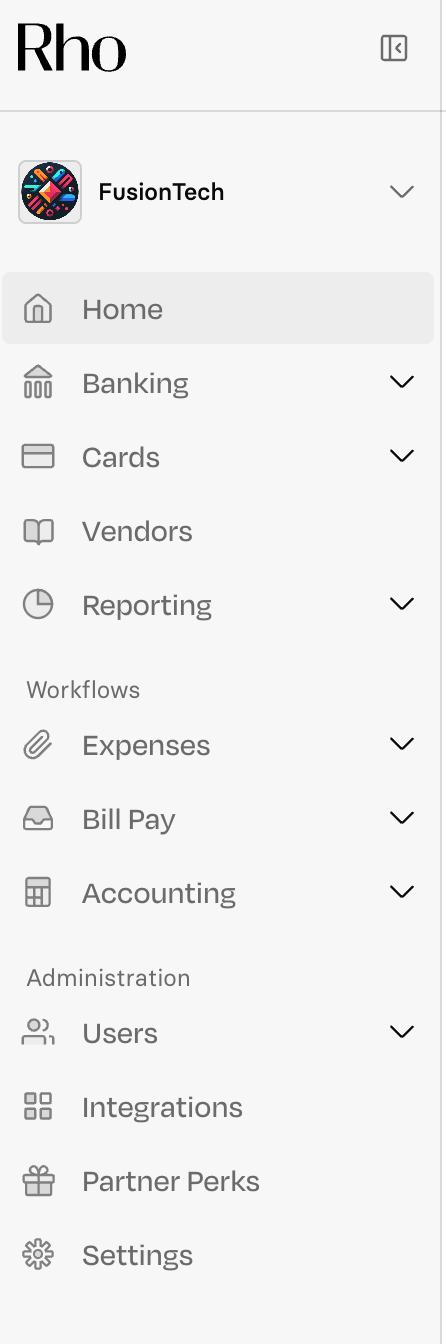
1. Main Navigation Bar
All pages relating to your organization can be accessed via the main navigation on the left-hand side of your screen. From Banking to Integrations, you can quickly toggle between pages via the side navigation bar.
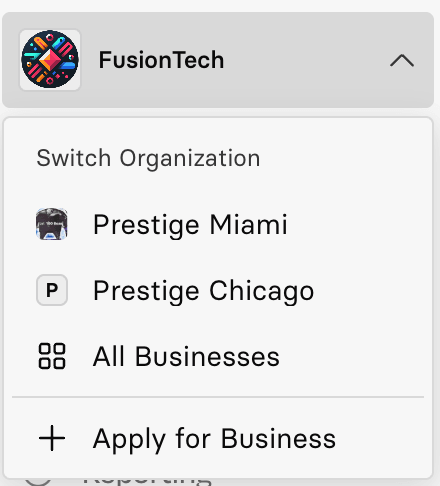
2. Your Organization(s)
To view and switch between businesses or open a new business account, click on your business's name at the top of the navigation bar; a dropdown will appear.
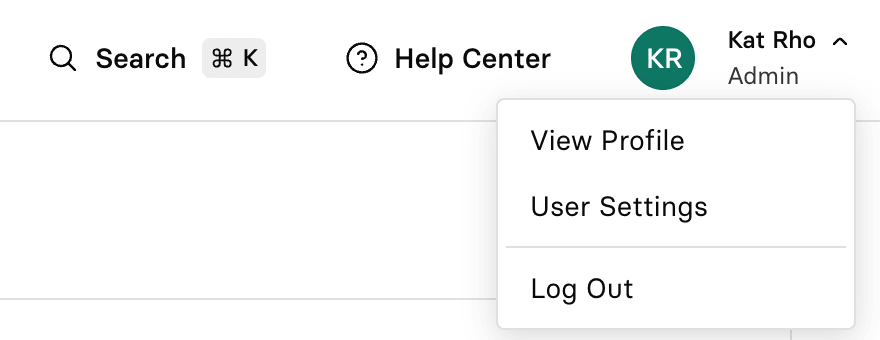
3. User Profile
To access your user profile and settings, click on your name in the top-right corner of your screen. In User Settings, you can change your password, set up two-factor authentication, and add a photo.
4. Support
To contact Rho, simply click the question bubble at the bottom left corner of your screen. Here you can:
Get help
Access our Help Articles
View our phone number +1 855-743-8746
Find our email clientservice@rho.co
Live chat with us
Leave product feedback
Explore our Product Guide