
Put controls on the card itself, not only in the handbook. A limit the card enforces works at 2 a.m. on a Saturday. A rule in a PDF works when someone remembers to read it.
Start every cardholder with defaults, then tighten by exception. Role-based templates beat one-off settings. They are faster to issue and easier to audit.
Review the program on a calendar. Monthly spend review and a quarterly cardholder review catch most problems before they become write-offs.
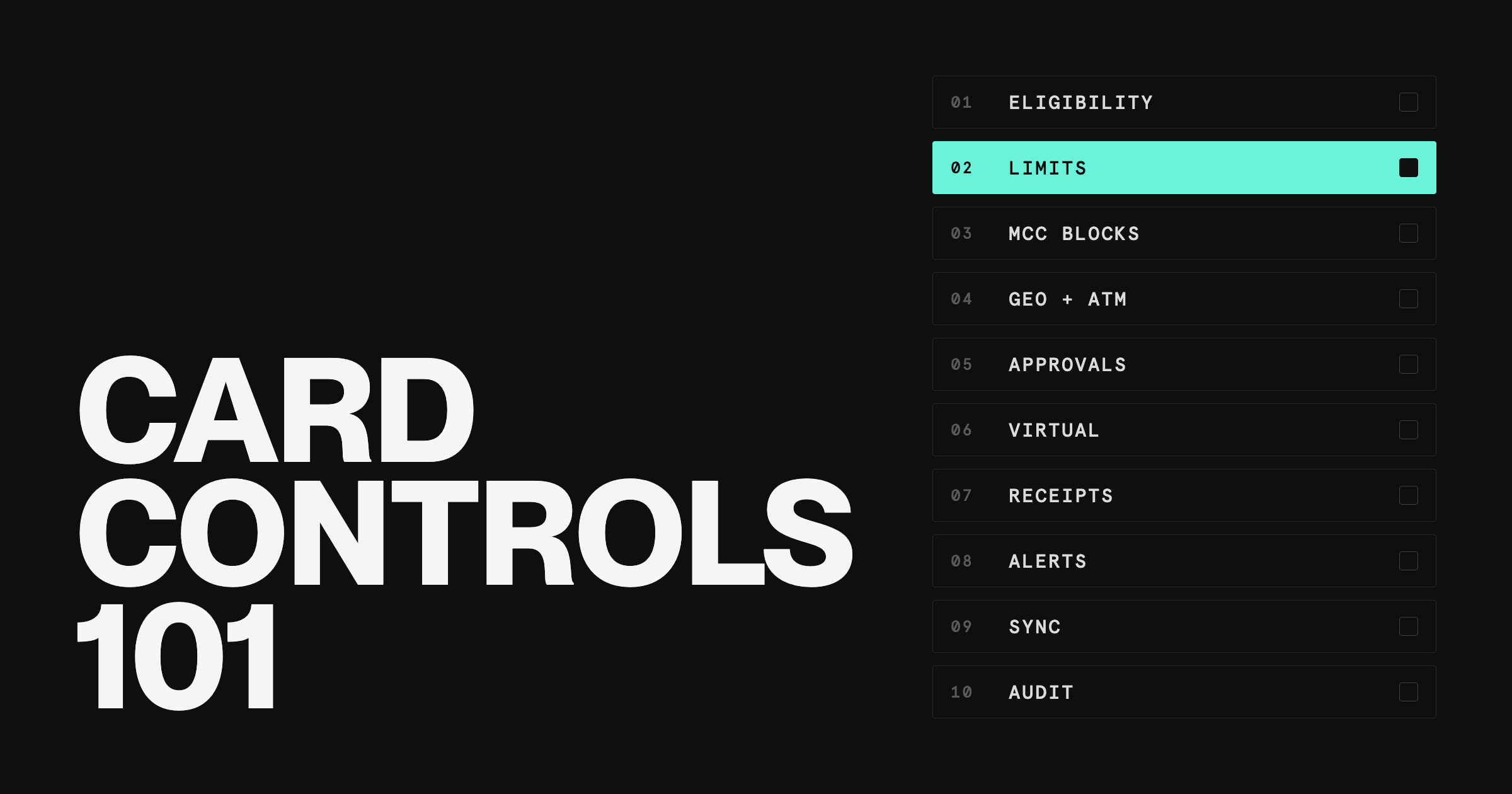
Companies should set layered corporate card controls: limits and blocks the card enforces at the swipe, plus receipt, review, and accounting rules that catch what the card cannot. Most programs need ten, covered one by one below.
The hard part is rarely knowing which controls exist. It is picking sensible defaults and deciding when to tighten them without turning every purchase into a ticket. This guide gives you a recommended default for each control, a quick-reference table, a short outline for the written policy, and a rollout plan.
What controls should companies set on corporate card usage?
Companies should set ten core controls on corporate card usage. Six are enforced by the card itself: card eligibility and offboarding, spending limits, merchant category restrictions, channel and geographic blocks, pre-approval for large purchases, and virtual and vendor-specific cards.
The other four keep the program honest after the swipe: receipt and coding rules, real-time alerts, accounting sync, and independent oversight.
If you need the basics first, our guide to corporate credit cards covers how they work and who they are for.
The corporate card controls checklist: 10 settings and their defaults
Corporate card controls are settings that limit who can spend, how much, where, and on what, enforced by the card at the moment of purchase and backed by review afterward.
Each control below follows the same pattern: what it is, a recommended default for a typical startup or growing company, and the signal that tells you it is time to tighten.
1. Card eligibility and offboarding: who gets a card
What it is. Eligibility rules define which roles get a card and what kind. Every card should belong to one named person or one named vendor. Shared cards turn every question into an investigation.
Recommended default. Issue individual cards to anyone who buys for the company more than once a month. Freeze the card on an employee's last day, not at the end of the pay period. Our post on the benefits of corporate cards for multiple employees covers which roles to prioritize.
When to tighten. If your quarterly roster review finds cards with no spend in 90 days, close them. Dormant cards are risk with no upside.
2. Spending limits: set caps by role
What it is. Spending limits cap what a card can spend per transaction and over a period, usually daily or monthly. They are internal controls you set, separate from the credit line an issuer extends to your company.
Recommended default. Build three or four role templates (for example: general staff, managers, department leads, travelers) and start each monthly cap at roughly 120% of that role's typical monthly spend. Add a per-transaction cap near the largest routine purchase the role makes. A $400 per-transaction cap prevents one expensive mistake. A $2,000 monthly cap prevents forty cheap ones.
When to tighten. When a cardholder regularly uses less than half their limit, lower it. When they keep hitting it, raise it with a time-boxed increase that expires after the project or trip, rather than a permanent bump.
3. Merchant category (MCC) restrictions
What it is. Every card transaction carries a merchant category code (MCC) that identifies the type of business. Card programs can block categories outright or allow only a short list for a given card. Processors assign the code, not you, so a block-list is a strong filter rather than a perfect one. Receipts and review catch the rest.
Recommended default. Block gambling, cash-like categories (money orders, wire transfers, crypto exchanges), and personal-service categories company-wide. For single-purpose cards, such as a marketing card, use an allow-list instead of a block-list.
When to tighten. Review declined transactions monthly. Repeated declines in the same category mean either the block is wrong or someone is testing it. Both deserve a conversation.
4. Channel and geographic blocks: ATM, online, and international
What it is. Channel and geographic controls decide where a card works: online versus in person, domestic versus international, and whether it can withdraw cash at an ATM.
Recommended default. Turn off ATM cash for everyone unless a role has a documented need. Disable international transactions for cardholders who do not travel or buy from overseas vendors.
When to tighten. Unexpected foreign transactions are one of the clearest fraud signals a card program sees. If a card shows one, freeze it first and ask questions second. Enable international use for a trip window, then turn it off when the traveler is back.
5. Pre-approval workflows above a dollar threshold
What it is. Pre-approval workflows route large or unusual purchases to a manager or finance before the money moves, instead of reviewing them after the statement arrives. Approval controls the decision, not the payment, so use it where the decision is the risk.
Recommended default. Require approval for any single purchase above $1,000, any new software subscription, and any travel booking above a set amount. Route approvals to the cardholder's direct manager, with finance added above a second threshold.
When to tighten. If approvals are being granted in under a minute every time, the threshold is too low and people are rubber-stamping. Raise it. If off-policy purchases keep slipping through, lower it.
6. Virtual and vendor-specific cards
What it is. Virtual cards are card numbers issued without plastic. They can be dedicated to one vendor, one project, or one purchase, so a compromised number exposes only what that card can spend.
Recommended default. Put every recurring software subscription on its own vendor-specific virtual card with a limit just above the expected charge. When the vendor raises its price or a free trial converts, the card declines and you find out before the renewal posts. Our guide to virtual corporate card benefits goes deeper on setup.
When to tighten. Use single-use or expiring cards for one-off purchases and contractors, so the number stops working once the job is done.
7. Receipt rules and expense coding at purchase
What it is. Documentation rules set when a receipt is due, which purchases need an itemized one, and what context must be attached: a business purpose, a project, a GL code, and attendees for meals.
Recommended default. Require receipts within 5 to 7 days of the purchase and itemized receipts above $25. Corpay's card-controls guide (updated May 21, 2026) calls $25 the modern standard for the itemized-receipt threshold and puts typical submission windows at 5 to 7 days.
Ask for the GL code or project at the time of purchase, while the cardholder still remembers what it was for.
When to tighten. If missing receipts pile up past the deadline, pause the card until they are cleared. A paused card gets a receipt uploaded faster than any reminder email.
8. Real-time alerts and automated flags
What it is. Alerts notify the cardholder, their manager, or finance when a transaction happens, when it declines, or when it trips a rule. Automated flags mark transactions for review instead of waiting for the month-end close.
Recommended default. Alert the cardholder on every transaction and on every decline. Alert finance on transactions above the pre-approval threshold, on international charges, and on any charge from a new merchant to a vendor card.
When to tighten. If finance is ignoring alerts because there are too many, cut the noise rather than the control. Fewer, better-targeted alerts get read.
9. Accounting sync and reconciliation
What it is. An accounting sync pushes card transactions, receipts, and codes into your general ledger as they happen, so the books reflect card spend daily rather than once a month.
Recommended default. Use a native integration with your accounting system and map card categories to GL accounts once, up front. Our guide to corporate card reconciliation walks through the matching process step by step.
When to tighten. If month-end close keeps stalling on card spend, move from a weekly to a daily review of uncategorized transactions.
10. Oversight: segregation of duties, audits, and consequences
What it is. Oversight controls make sure no one approves their own spending, someone reviews the program regularly, and violations carry a known consequence. Every cardholder should sign a card agreement before activation.
Recommended default. The person who approves a purchase should never be the person who made it, and the person who reconciles the statement should not be a cardholder on it. Review spend by cardholder monthly and the cardholder roster quarterly. Publish a three-step consequence ladder: a reminder, then a paused card, then a revoked card.
When to tighten. Add surprise spot audits of a random sample of transactions once the program passes 25 or so cardholders. Finance teams rarely catch misuse in the totals. They catch it in the line items.
Each of these controls gets easier when the card enforces it automatically. The table below collects all ten on one screen.
Corporate card controls at a glance
Use this as a quick reference when you set up a new program or audit an existing one.
Control | What it does | Why it matters | Typical setting |
|---|---|---|---|
Eligibility and offboarding | Decides who holds a card | Every charge has an owner | Individual cards; freeze on last day |
Spending limits | Caps spend per transaction and period | Limits the size of any mistake | Role templates; monthly cap about 120% of typical spend |
Merchant category (MCC) restrictions | Blocks or allows business types | Stops obvious misuse at the swipe | Block gambling and cash-like categories |
Channel and geographic blocks | Controls ATM, online, and foreign use | Cuts common fraud paths | ATM off; international off unless traveling |
Pre-approval | Routes big purchases for sign-off | Reviews the decision before the spend | Above $1,000 and all new subscriptions |
Virtual and vendor cards | Isolates vendors and projects | Contains exposure from one leaked number | One card per recurring vendor |
Receipts and coding | Attaches proof and GL codes | Makes spend auditable and closeable | Receipt within 5 to 7 days; itemized above $25 |
Real-time alerts | Notifies on charges and declines | Shortens time to catch problems | Cardholder on all; finance on exceptions |
Accounting sync | Pushes spend into the ledger | Keeps books current, speeds close | Native integration, daily sync |
Oversight and audits | Separates duties and reviews spend | Catches what rules miss | Monthly spend review; quarterly roster review |
Read the table as a starting configuration, not a finished one. Your defaults should move as you learn where spend actually goes. If you are still choosing a provider and want to know which card has the most controls, our roundup of the best corporate cards covers that question side by side.
Technical controls vs written card policy
Technical controls are settings the card enforces automatically. A written corporate credit card policy is the document that explains the rules, sets expectations, and covers the judgment calls a card cannot make. You need both, and they do different jobs.
Technical controls prevent. A blocked category or an exceeded limit stops the transaction before it happens. Navan's corporate card glossary (modified June 23, 2026) describes it plainly: a transaction that violates policy is declined before it posts.
The written policy defines. A card cannot tell whether a $180 dinner was a client meal or a team celebration. The policy says which one is allowed and what documentation proves it.
Technical controls scale. Fifty cardholders with role templates take the same effort to manage as five.
The written policy assigns accountability. It names who approves, who reviews, and what happens after a violation. A signed agreement turns a setting into a commitment.
A useful test: every rule in the written policy should either map to a setting on the card or to a step in the review process. Rules that map to neither are suggestions.
What a corporate credit card policy should include
A card policy does not need to be long. Two to four pages covers most companies. SAP Concur's published policy guide (April 12, 2024) lists seven rules: eligibility, acceptable uses, credit limits, required documentation, cardholder responsibilities, consequences for noncompliance, and a signed written agreement. A complete card policy outline looks like this:
Purpose and scope. Which cards the policy covers and who it applies to.
Eligibility. Which roles get cards, how to request one, and when cards are closed.
Acceptable and prohibited uses. Plain examples of each, including the prohibited merchant categories.
Spending limits and approvals. Role templates, the pre-approval threshold, and how to request a temporary increase.
Receipts and documentation. Deadlines, the itemized-receipt threshold, and required coding.
Personal and accidental charges. How to report one and how it gets repaid.
Lost, stolen, or compromised cards. Who to notify and how fast.
Review and audit. Who reviews spend, how often, and what triggers a spot audit.
Violations and consequences. The escalation ladder from reminder to revocation.
Cardholder acknowledgment. A signature line, signed before the card is activated.
If you are writing the broader expense policy that this card policy sits inside, our guide on how to build an expense policy covers the full document.
How to roll out card controls without slowing the team
The fastest way to lose a card program is to make it painful. If every purchase needs a ticket, people go back to personal cards and reimbursements, and you lose the visibility you set controls up to get. Our comparison of corporate cards vs employee reimbursements covers why that tradeoff matters.
A rollout that holds up usually looks like this:
Start permissive, then tighten with data. Launch with role templates and the company-wide blocks only. After 60 days of real spend, adjust limits and categories based on what people actually buy.
Explain the why in one page. Cardholders follow rules they understand. A short summary beats a long policy nobody opens.
Make the request path faster than the workaround. A limit increase or a new vendor card should take minutes to request and approve. If it takes days, people find another way.
Fix declines quickly. A legitimate purchase that declines is a bug in your settings. Track them and correct the rule, not the cardholder.
Review the controls quarterly. Pair the cardholder roster review with a check of limits, blocks, and alert volumes.
Every control you add costs a little speed. Aim for the fewest controls that cover your real risks, not the most controls you can configure.
How Rho handles card controls
Here is what the Rho card program includes. The Rho corporate card runs on Mastercard, and Rho offers physical, virtual, and Vendor Cards.
In the Rho app, you get card creation and spend controls for team and vendor cards, plus receipt upload with OCR and accounting coding.
Rho has native integrations with NetSuite, QuickBooks Online, Sage Intacct, and Puzzle. Rho expense management is free, with no user or platform usage fees, and the Rho card has no annual fee and no per-card fee.
Rho is available to US-incorporated businesses only. Sole proprietors and unincorporated businesses are not eligible.
See how the Rho Card works and who it is available to. Explore the Rho Card.
Keep reading
FAQs
Companies should set layered controls: individual cards with offboarding rules, role-based spending limits, merchant category blocks, channel and geographic blocks, pre-approval above a threshold, and virtual cards for vendors. Back those with receipt deadlines, real-time alerts, an accounting sync, and an independent monthly review.
Start with role-based templates rather than individual limits. A practical default is a monthly cap around 120% of the role's typical monthly spend and a per-transaction cap near its largest routine purchase. Use time-boxed increases for trips and projects instead of permanent raises.
Yes. Most companies block gambling, cash-like categories such as money orders and wire transfers, and personal-service categories on every card. Single-purpose cards work better with an allow-list that permits only the categories the card is for.
Review spend by cardholder monthly and the full cardholder roster quarterly. Review alerts and flagged transactions as they happen, and add random spot audits once the program grows past a couple dozen cardholders.
Yes. Card settings stop transactions, but they cannot judge business purpose, assign accountability, or define consequences. The written policy covers those judgment calls, and a signed cardholder agreement makes the rules enforceable.
The employee should report it right away and repay it under the process the card policy defines, usually within one statement cycle. Treat a first accidental charge as a reminder. Treat repeated personal charges as a policy violation under the consequence ladder.
A ghost card is a card number held centrally, often by finance or a travel team, and used by one vendor or for one type of spend rather than carried by an employee. Vendor-specific virtual cards do the same job with tighter limits and a clear owner for each charge.
Managing corporate credit cards means issuing individual cards by role, setting spending limits and merchant blocks on each card, requiring receipts and coding at purchase, syncing transactions to accounting, and reviewing spend monthly and the cardholder roster quarterly.