
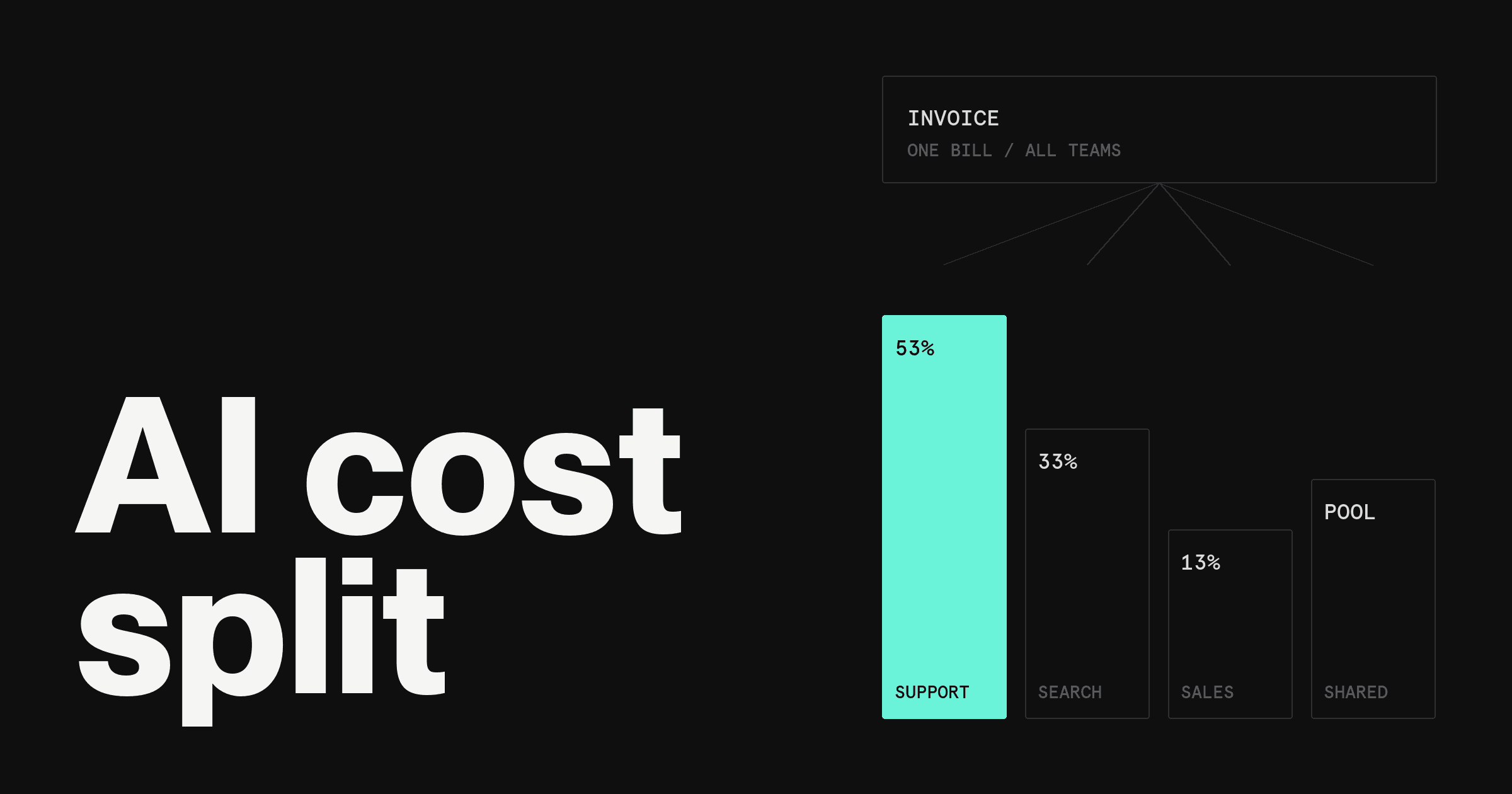

Finance teams allocate AI costs by tagging every request with a team, product and customer, then splitting the provider invoice by those tags. Start with showback, where teams see their costs. Move to chargeback, where costs hit their budgets, once tagging covers 90% or more of spend.
Here's the catch: the invoice alone cannot do this. OpenAI, Anthropic and Google bill by account, project or workspace, not by the team that wrote the prompt. Allocation only works if the attribution data is created at the moment of the request.
This guide covers the decisions in order: showback or chargeback, which allocation method fits each cost, what to capture per request, what to count beyond the API invoice, which KPIs to report, and a rollout that takes four to six months.
Showback vs chargeback
Showback reports AI costs to the team that caused them. Nobody's budget moves. Chargeback transfers the cost to that team's budget, so it shows up in their P&L.
Both are standard concepts in FinOps, the cloud financial management practice the FinOps Foundation publishes guidance on. The same logic applies to AI spend, which is why "finops for ai" is now a search term of its own.
What that means in practice:
Showback is the right first step. It costs little, builds trust in the numbers, and exposes tagging gaps without anyone getting billed for a data error.
Chargeback is the right end state for teams that run their own product lines. It changes behavior because the cost lands on someone who can reduce it.
Do not skip showback. Chargeback on bad data starts disputes, and finance spends the quarter defending the allocation instead of improving it.
The five allocation methods
Most AI bills need more than one method. Direct allocation covers whatever is already tagged, and the rest needs a rule.
Which method fits which cost:
| Method | How it works | Best for | Watch out for |
| Direct | Cost follows the key, project or workspace that incurred it | Teams with their own provider project | Shared keys break it silently |
| Usage-based | Split by measured usage: requests, input and output volume, or compute time | Shared gateways and shared models | Needs request-level logs |
| Shared-cost | Pool a common cost, then split by a stated rule such as share of direct spend | Evals, embeddings indexes, platform tooling | The rule must be agreed in advance |
| Fixed | Flat monthly amount per team, regardless of usage | Seat-based tools and committed contracts | Hides heavy and light users |
| Customer-level | Attribute cost to the customer whose request triggered it | AI features sold inside a product | Needs a customer ID on every request |
A short rule of thumb: use direct wherever you can, usage-based where a shared system sits in the middle, and customer-level for any feature you charge customers for.
What to capture on every request
Allocation quality is set at request time. If a field is not stamped when the call is made, no finance process can recover it later.
The minimum set of metadata:
Team and cost center. The owner of the spend, using the same names as the GL.
Product and feature. Which part of the product made the call.
Environment. Production, staging or experiment. Experiments should never share a bucket with production.
Customer ID. Required for customer-level cost and margin.
Model and prompt version. Lets you tie a cost jump to a specific change.
Input and output volume. Providers price these separately.
Request ID. Links the log line to the invoice line item.
Three places to attach those fields:
API keys per team or service. The simplest control. One key per team and environment means the provider's own usage report is already split.
Provider workspaces and projects. OpenAI projects and Anthropic Console workspaces each carry their own usage reporting and their own limits. Give each product its own.
A gateway. A proxy that sits between your code and the providers can stamp team, product and customer onto every request and write one log across all vendors. This is the only reliable way to get usage-based and customer-level allocation across more than one provider.
What costs to include beyond API invoices
The provider invoice is the visible part. Fully loaded AI cost is larger, and leaving the rest out makes every product look cheaper than it is.
Count these:
Inference and GPU hosting for any self-hosted or fine-tuned models.
Vector databases and retrieval storage that exist only to feed prompts.
Evaluation and test runs. Easy to miss, and rarely owned by anyone.
Observability and gateway tooling. Logging, tracing and prompt management subscriptions.
AI seats. Coding assistants and chat subscriptions, usually allocated fixed per head.
Labeling and human review, where a person checks model output.
Engineering time on prompt and model maintenance, if the allocation feeds a unit-economics model.
Put the first six in the allocation. Treat engineering time as a separate line so the model cost stays comparable across products.
The KPIs to report
Raw dollars tell a team what it spent. Ratios tell it whether the spend was worth it.
| KPI | Formula | Question it answers |
| Cost per request | Allocated cost / request count | Is a single call getting cheaper or dearer? |
| Cost per customer | Allocated cost / active customers on the feature | Which accounts cost more than they earn? |
| Cost per resolved task | Allocated cost / completed outcomes | What does the useful output cost? |
| AI cost as % of revenue | Allocated AI cost / revenue from AI-powered products | Does the margin hold at scale? |
Cost per resolved task is the one finance should push hardest. Cost per request favors a team that makes a bad answer cheaply, while cost per resolved task only improves when the answer works.
A worked example
The numbers below are illustrative, not a benchmark. They show the mechanics, not what any company should expect to pay.
Take a company with a $20,000 monthly AI bill across providers. Tagging shows $15,000 belongs directly to three teams. The other $5,000 is shared: evaluation runs, an embeddings index and the gateway.
Step 1: direct allocation. Support $8,000, Search $5,000, Sales Assist $2,000.
Step 2: shared-cost allocation. Split the $5,000 by each team's share of direct spend: Support 53.3%, Search 33.3%, Sales Assist 13.3%.
| Team | Direct | Shared share | Fully loaded |
| Support | $8,000 | $2,667 | $10,667 |
| Search | $5,000 | $1,667 | $6,667 |
| Sales Assist | $2,000 | $666 | $2,666 |
| Total | $15,000 | $5,000 | $20,000 |
Step 3: unit economics. Say Support resolved 40,000 tickets that month. Fully loaded cost per resolved task is $10,667 / 40,000, or about $0.27. If the company's monthly revenue from AI-powered products is $400,000, AI cost is 5% of that revenue.
The method matters more than the figures. Every dollar landed on a team, the totals reconcile to the invoice, and the shared rule fits in one sentence.
A 4-step rollout
Do not try to launch chargeback on day one. The sequence below takes four to six months and each step earns the next.
Month 1: get visibility. Inventory every AI vendor from payment and expense records. Split provider accounts into one project or workspace per team and environment. Report total spend by vendor, weekly.
Month 2: tag and attribute. Add the metadata fields above through keys, workspaces or a gateway. Track coverage: the percentage of spend that carries a team and product tag. Aim for 90%.
Months 3 to 4: showback. Send each team a monthly statement with direct and shared costs and the four KPIs. Hold a review with finance and engineering. Fix the shared-cost rule while nobody's budget is affected.
Months 4 to 6: chargeback. Once coverage holds above 90% for two consecutive months and the shared rule is signed off, move allocated cost into team budgets. Reconcile to the invoice every close.
Where the payment layer helps
Tags explain the API invoice. The card that pays it can carry structure too. On the Rho platform, finance can issue a separate virtual card for each AI provider or team, so each card's charges belong to one provider or team.
Each card can have a recurring monthly limit. Any transaction that would exceed it is declined, and monthly limits reset on the 1st. Merchant-specific controls can restrict a card to a list of up to 20 named merchants, so a team's card only pays the providers it is meant to.
This does not replace request-level tagging. It gives finance a second view of AI spend, from the payment side.