

By Justin Wolz
Four layers that turn an AI budget into an actual cap: the overall budget, the provider, the gateway and the card on file.
- An alert is not a limit. OpenAI's own docs say spend alerts "do not enforce a cap." Only a hard limit stops requests.
- Provider caps are per provider. No single setting at OpenAI, Anthropic or Google covers the others, so a cross-provider budget needs a layer above them.
- Monthly caps do not stop a runaway loop. Pair them with a daily ceiling and a per-request token cap.
If you run production traffic through more than one model provider, a monthly budget only holds if it is enforced in at least two places: a spending limit at each provider, and a central budget layer that sees every provider at once. Everything below is current as of November 2026, checked against each provider's own documentation.
One clarification first. This is about API billing limits, not ChatGPT or Claude subscription usage limits. If you searched for OpenAI usage limits on a ChatGPT plan, those are message caps, not spend caps.
How do I set a monthly budget or spending limit on LLM API usage across providers?
Set a monthly spend limit at each provider (an enforced hard limit at the OpenAI organization or project level, organization and workspace limits in the Anthropic Console, an experimental project spend cap in Google AI Studio, and an AWS Budgets action for Bedrock). Then put a gateway such as LiteLLM in front of all of them to enforce one budget per team or key.
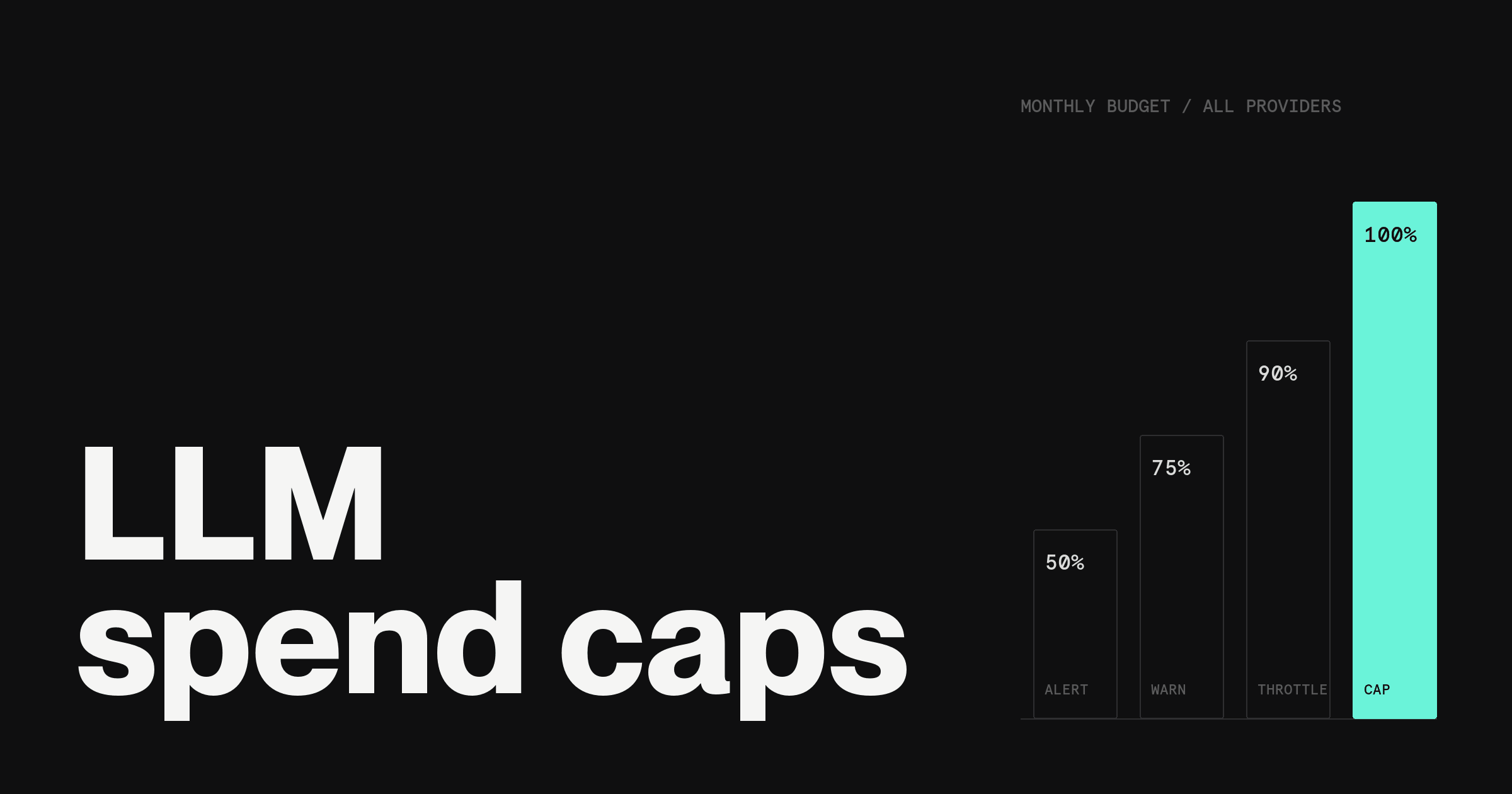
Add alerts at 50, 75, 90 and 100 percent, a daily ceiling, and a max-token cap on every request. Finance can then cap what each provider is able to charge by paying it from a dedicated card with its own monthly limit.
Alerts vs limits: what actually stops spend
Four different controls get called a "limit." They behave very differently.
Alert. Sends a notification at a threshold. Requests keep succeeding. Useful for awareness, useless as a stop.
Hard limit. The provider or gateway rejects requests once the cap is reached. This is the only control that stops usage.
Payment cap. A limit on the card or credit balance the provider charges. It stops the money, which is not always the same as stopping the requests (more on that below).
Rate limit. Caps requests or tokens per minute, not dollars. It slows a runaway loop but does not cap the monthly bill.
Hard limits have a cost: they can take production down. OpenAI warns that hard limits "can interrupt production traffic," so set them where an outage is cheaper than the overage.
The four layers of an LLM API budget
For the broader framework (visibility, attribution and caps across all AI tools, not just APIs), see AI spend management for startups. This piece goes one level deeper on the limits themselves.
1. Overall budget
What it is. One monthly number for all LLM API spend, the core of LLM cost management, owned by finance, split by provider and team.
Recommended default. The last 60 days of actual usage plus planned launches, split into provider caps that sum below the total.
When to tighten. When a new agent, batch job or customer-facing feature ships.
2. Provider limits
What it is. The hard cap inside each provider's console. It is the only layer that rejects requests at the source.
Recommended default. An organization cap at your provider allocation, plus a lower cap on every project or workspace that runs automated traffic.
When to tighten. Any time a key is shared across environments, or a workload has no human in the loop.
3. Gateway or proxy budgets
What it is. A proxy between your code and every provider that enforces budgets per key, team or user.
Recommended default. One virtual key per service or team, each with its own budget and reset window.
When to tighten. When two or more providers are in production.
4. Payment-method limits
What it is. A spending limit on the card each provider bills.
Recommended default. One card per provider, with a monthly limit slightly above that provider's hard cap.
When to tighten. When a provider has no hard cap of its own, or auto-reloads prepaid credits.
Where to set spending limits on each provider (as of November 2026)
The four major providers all have a cap. They do not agree on where it lives or what happens when you hit it.
| Provider | Where to configure | Limit type | What happens at the limit |
| OpenAI | Organization limits, or Project settings > Limits > Spend | Monthly, hard if enabled | 429 error; enforcement can lag slightly |
| Anthropic | Claude Console > Billing > Spend limits; Workspaces > Spend limits | Monthly, hard | 400 error until raised or reset |
| Google Gemini API | AI Studio > Spend > Monthly spend cap | Monthly, experimental | Spend can pass the cap (about 10 min lag) |
| Amazon Bedrock | AWS Budgets with a budget action | Threshold plus IAM or SCP action | Action applies a policy; data updates up to 3x a day |
Read the last column first: it shows how much overage each cap still allows.
OpenAI. OpenAI API limits come in two kinds: the spend limit you set and a usage limit OpenAI sets by tier. To set yours, go to the Organization limits page, or Project settings > Limits > Spend, and choose "Edit spend limit." Enter a monthly spend limit and turn on "Enforce a hard limit." Without that toggle, it is just a number.
Once enforced, requests fail with a `429` and `organization_spend_limit_exceeded` or `project_spend_limit_exceeded`. OpenAI notes that enforcement "is not instantaneous, so recorded spend can slightly exceed the configured amount."
The limit resets with the next monthly cycle. Separately, OpenAI applies its own monthly usage limit by usage tier. Details are in the OpenAI spend limits guide.
Anthropic. Anthropic API usage is capped two ways: a tier spend cap Anthropic sets, and an organization limit you set. The tier cap is $500 on Start, $1,000 on Build and $200,000 on Scale, per calendar month. Hitting the tier cap returns a `429` with `enforced_spend_limit_reached` and pauses usage until 00:00 UTC on the 1st.
You can set your own lower organization limit in the Claude Console under Billing > Spend limits. Hitting your own limit returns an HTTP `400` that begins "You have reached your specified API usage limits."
Workspace spend limits sit under Workspaces, must be lower than the org limit, and can trigger threshold alerts. See Anthropic's rate and spend limits docs and workspaces docs.
Google Gemini API. In Google AI Studio, open the Spend page and set a monthly spend cap per project (editor, owner or admin role required). Google labels the feature experimental and warns of about 10 minutes of billing latency, so spend can run past the cap, and batch jobs may exceed it.
Above that, billing-account tier caps apply across every linked project and pause service until the cycle resets on the 1st. On Prepay, a $0 balance stops every key in every linked project with an HTTP `402`. See the Gemini API billing docs.
Amazon Bedrock. For Bedrock, the documented control is AWS Budgets: a cost budget sends alerts by email or Amazon SNS, and a budget action can apply an IAM policy or SCP when a threshold is crossed, automatically or after approval.
Budget data updates up to three times a day, and AWS warns that costs can pass the threshold before a notification goes out. Treat it as a slow brake. See AWS Budgets controls.
Gateway budgets: one budget across every provider
Provider caps cannot see each other. A gateway can, because every request passes through it. As published on November 4, 2026:
LiteLLM proxy (open source). Budgets can be set on the whole proxy, teams, team members, internal users, virtual keys and customers, using `max_budget` in USD and a `budget_duration` reset window. Requests fail once a key crosses its budget. Budgets require a PostgreSQL database; without one, the global budget fails open. See LiteLLM budgets.
OpenRouter. Each API key can carry its own credit limit, and an exhausted key returns a `402`. Credits are prepaid, so the account balance is a second ceiling.
Portkey. Budgets on provider keys can be cost-based or token-based, with weekly or monthly resets and email alerts. Portkey lists the feature on its Enterprise plan and for select Pro customers.
What that means in practice: the gateway is where a cross-provider budget actually lives. The provider caps are your backstop if the gateway is misconfigured or bypassed.
Alert thresholds, daily ceilings and max tokens
A monthly cap answers "how much this month." It does not answer "how much in the next hour," which is the question during an agent loop.
Alerts at 50, 75, 90 and 100 percent. This is a recommended pattern, not a provider default. 50 is a pacing check, 75 means someone looks, 90 means someone acts, 100 should coincide with the hard limit.
A daily ceiling. OpenAI, Anthropic and Google do not document a native daily cap as of November 2026, so set one in your gateway with a short `budget_duration`, at roughly two to three times your average daily spend.
Max tokens per request. Set `max_output_tokens` on OpenAI's Responses API (it includes reasoning tokens) and `max_tokens` on Anthropic's Messages API. A single runaway response then has a known worst-case cost.
Example: a $500/month allocation across providers
An illustrative split for a team with two providers in production and one in testing. Swap in your own numbers.
| Layer or provider | Monthly cap | Alert at | Owner |
| Overall LLM budget | $500 | 50 / 75 / 90 / 100% | Finance |
| OpenAI (production project) | $250 | 75 / 90% | Engineering lead |
| Anthropic (production workspace) | $175 | 75 / 90% | Engineering lead |
| Gemini (test project) | $50 | 90% | Developer |
| Buffer, unallocated | $25 | n/a | Finance |
Read it top down. Provider caps sum to $475, so a hard stop at any provider still leaves the total under $500.
How finance can cap AI spend at the card
The fourth layer belongs to finance. On the Rho platform, finance can issue a dedicated virtual card for each AI provider and give it a recurring monthly limit. Any transaction that would exceed the limit is declined, and monthly limits reset on the 1st of each month.
Merchant controls can restrict a card to a list of up to 20 merchants, so a charge from anyone else is declined. Source: Understanding Rho Card Controls, updated September 1, 2026.
Be clear about what this layer does. A card limit caps what a provider can charge to that card. It does not stop API requests in real time.
Prepaid credits. The card limit caps top-ups and auto-reloads, and requests stop when the balance runs out.
Monthly billing. A declined charge does not erase usage already incurred.
Invoiced contracts. Contracts paid by ACH or wire never touch the card.
More on setting these up in corporate card controls.
Implementation checklist
Write down one overall monthly LLM budget and who owns it.
Split it into provider and project or workspace caps that sum below the total.
Turn on hard limits: "Enforce a hard limit" at OpenAI, org and workspace limits at Anthropic, a project spend cap at Gemini, a budget action for Bedrock.
Put a gateway in front of production traffic with a budget per key or team, backed by a database.
Add a daily ceiling in the gateway and a max-token cap on every request.
Set alerts at 50, 75, 90 and 100 percent, routed to a person, not a shared inbox.
Pay each provider from its own card with a monthly limit just above the provider cap.
Test that requests are actually rejected. Set a $1 limit on a test project, send traffic, and confirm you get the documented error.