
Ask questions about your balances, transactions, and statements using natural language: Claude has read-only access to your Rho data. It can view information, but it can't move money, update settings, or make changes to your account. More details on what data is supported in our detailed guides.
Who can connect?
Only Account Owners and Administrators can connect Claude to a Rho account via the native connectors.
Connect Claude
To connect Claude to your Rho account:
In Claude, open the Customize → Connectors directory and select Rho.
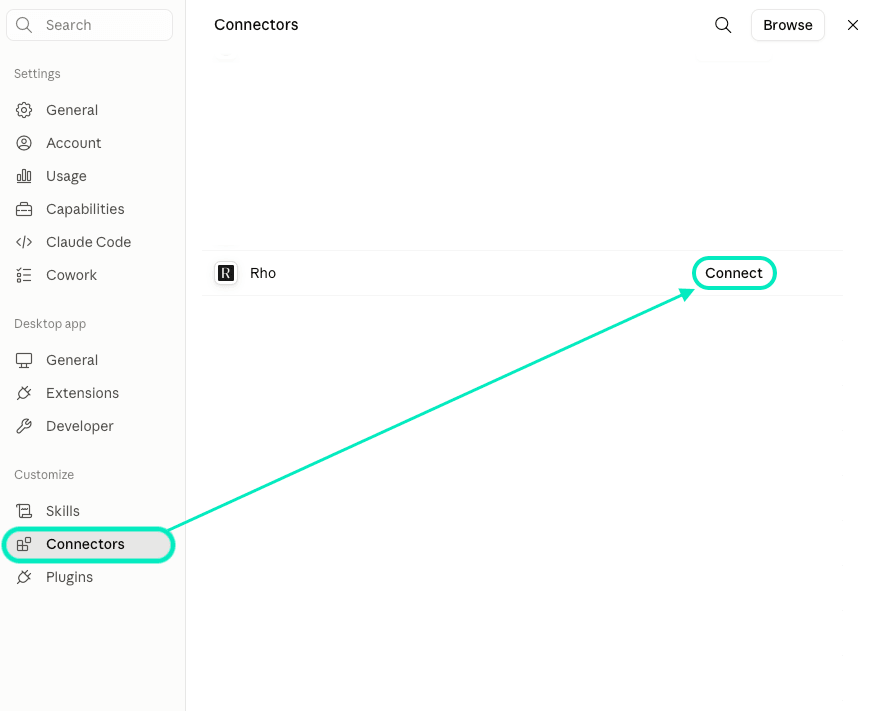
Sign in with your Rho credentials.
Select the business you want to connect.
If prompted, answer the onboarding question about how you plan to use the integration.
Review the requested permissions and adjust them if needed.
Click Authorize.
Once connected, you can start asking Claude questions about your Rho account.
Each connection links Claude to one Rho business. If you have multiple businesses, Claude connects to one at a time: to switch, reconnect the Rho connector and choose a different business at the authorization step.
Disconnect Claude
To disconnect Claude, remove the Rho integration from Claude's connector settings.
To revoke access on the Rho side as well, see Connecting AI tools to your Rho account.
If you have questions about connecting Claude to your Rho account, contact Rho Client Service.