
Connected AI tools have read-only access to your Rho account. They can view the data you choose to share, but they can't make changes or take action on your behalf.
What can AI tools do?
Connected AI tools can answer questions about the Rho data they've been given access to.
Today, supported data includes:
Data | Includes |
Accounts | Account details, account types, and balances |
Transactions | Card transactions, ACH and Wire transfers, and refunds |
Statements | Account statements |
As additional Rho APIs become available, more data may be supported.
What AI tools can't do
Connected AI tools cannot:
Move money
Issue, lock, or edit cards
Add or manage users
Make changes to your Rho account
AI connections are read-only and cannot perform actions on your behalf.
You control what is shared
When you connect an AI tool, you choose which data permissions to grant. An AI tool can only access the information you've approved.
Scopes are defined at token creation (see a) or at OAuth consent (see b):
a) Token Creation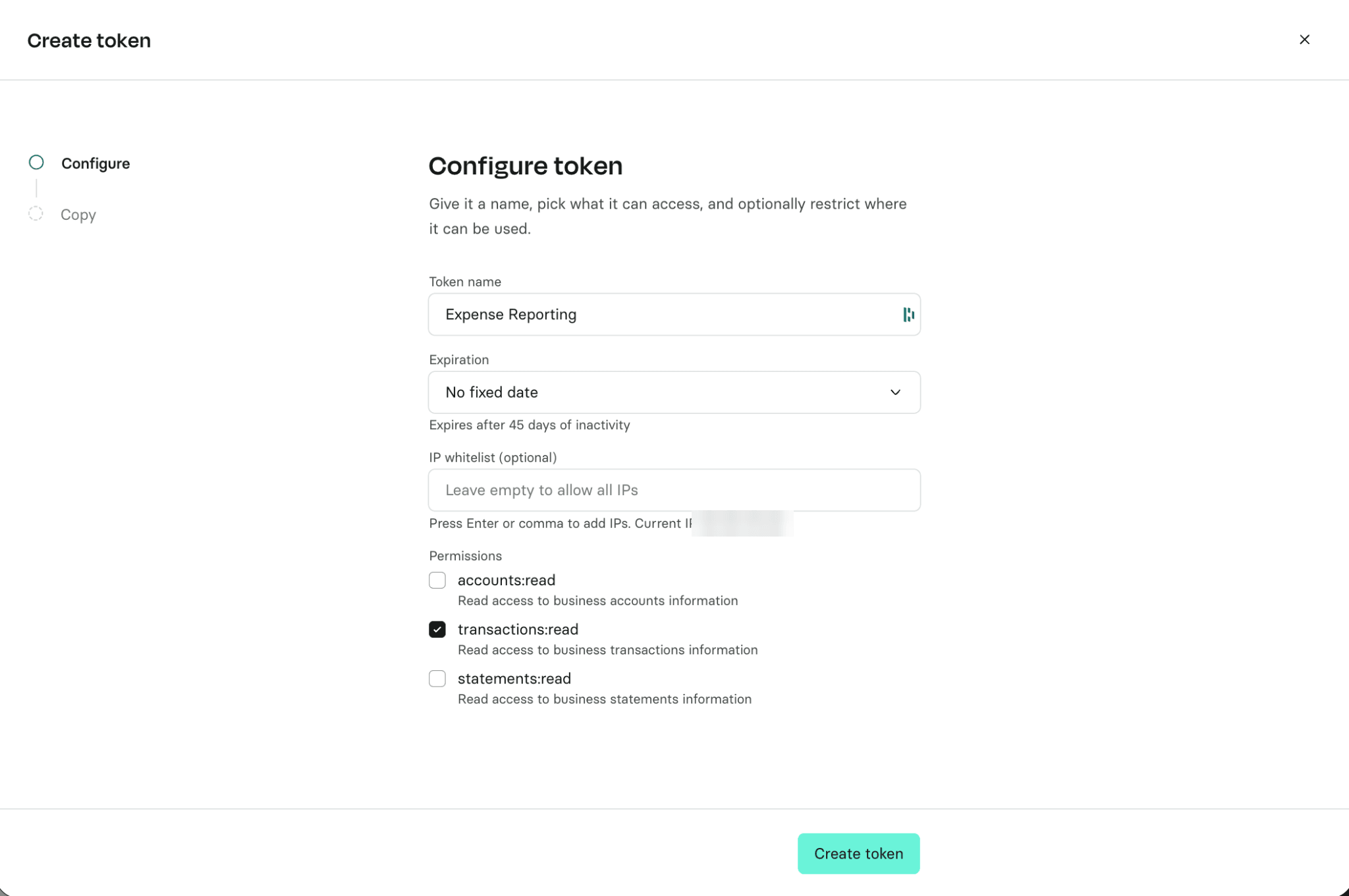
b) OAuth Consent 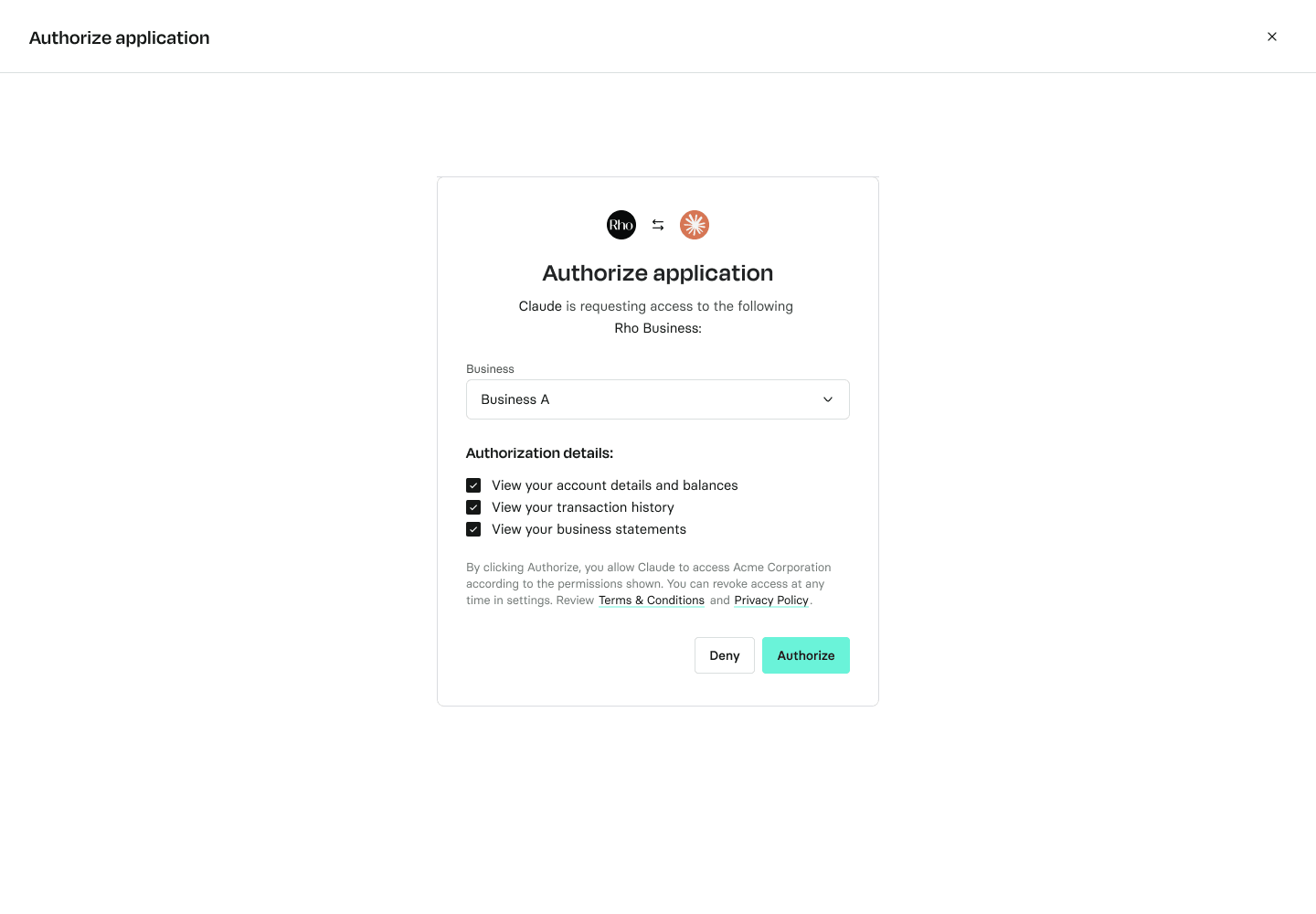
Only Account Owners and Admins can initiate an OAuth connection. If you're connecting with an API access token, the token's permissions determine what the AI tool can access.
You can remove access at any time by disconnecting the integration or revoking its access token. See Connecting AI tools to your Rho account for instructions.
If you have questions about what a connected AI tool can access, contact Rho Client Service.