
Admins and Account owners can request changes to a business’s ownership structure in Business settings in their Rho account.
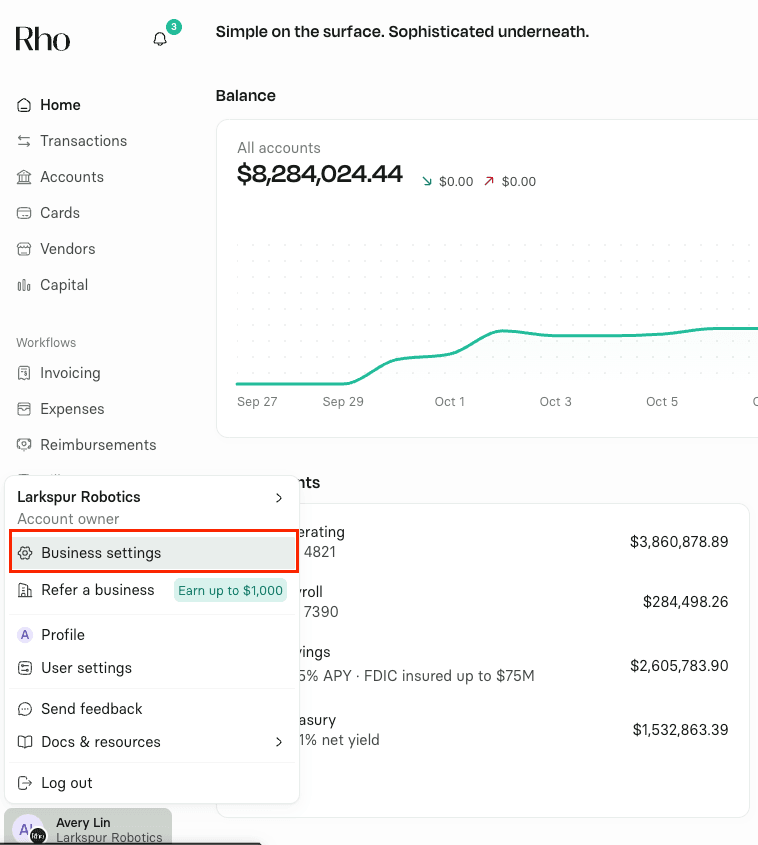 You can request multiple changes at once, including:
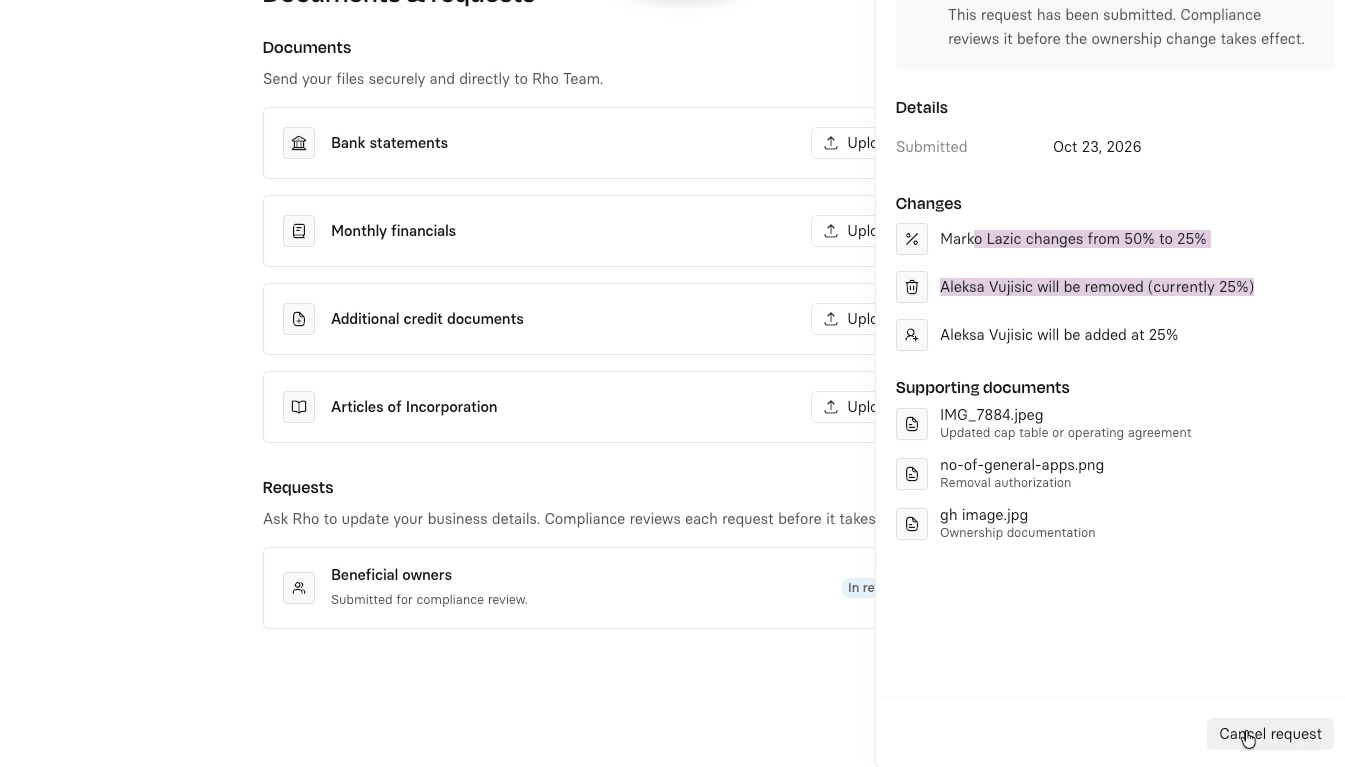
Updating an owner’s ownership percentage
Removing an existing owner
Adding a new owner
Rho’s Compliance team reviews all ownership change requests. You’ll need to provide information and supporting documents based on the changes you request.
Request an ownership change
Go to Business settings > Documents & requests > Requests.
Select Update.
Enter the ownership changes you want to request.
Review the preview of your requested changes.
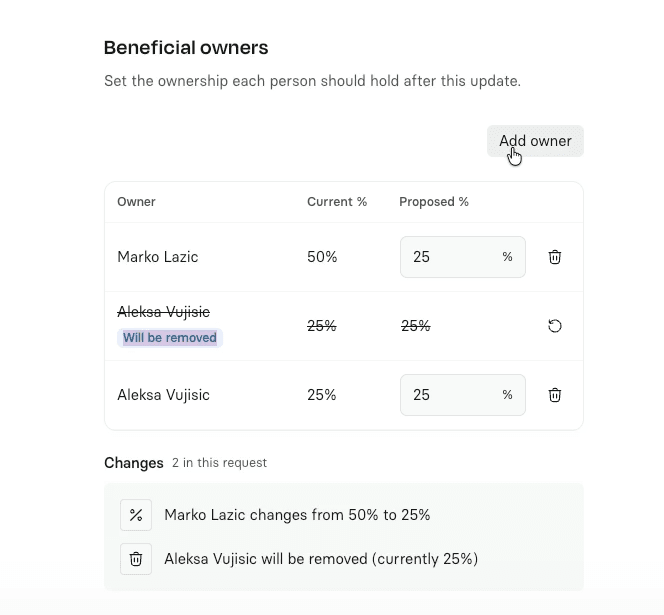 The changes will take effect only after Rho’s Compliance team approves your request.
Provide information for a new owner
If you’re adding an owner, you can invite them to provide their information or complete it on their behalf.
If you complete the information on their behalf, you’ll need to provide details such as their Social Security number (SSN) and a photo of a valid ID.
If the new owner hasn’t provided the required information, the request will remain pending. Only complete requests are sent to Rho’s Compliance team for review.
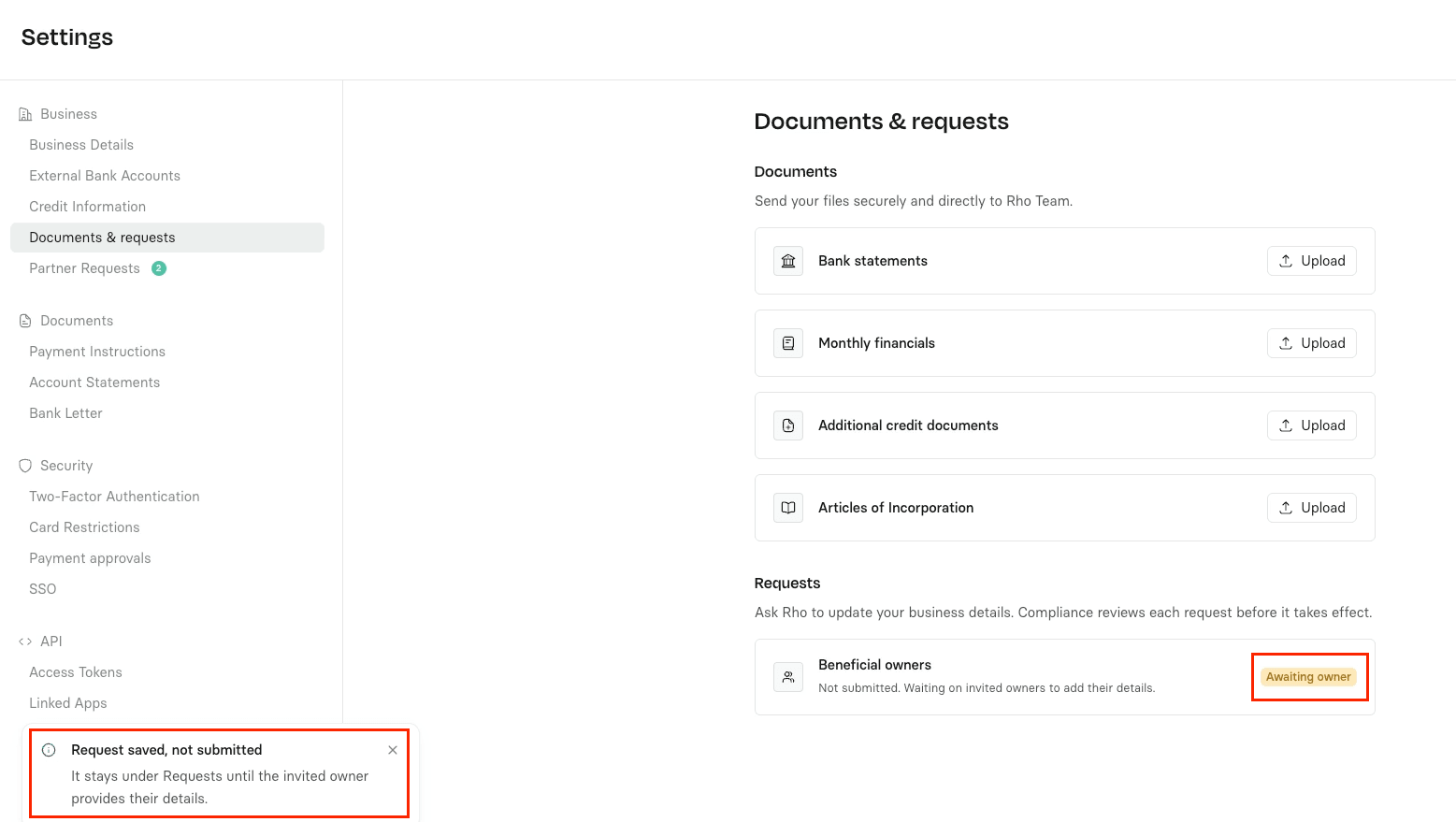 Note: New owners don’t need a Rho profile to provide their information. Once they submit their information, they can’t reopen the invitation.
Upload documents and submit your request
After reviewing your requested changes, select Continue.
Upload supporting documents that reflect the changes. Depending on your request, these may include a capitalization table (cap table), board resolution, resignation letter, etc.
Select Submit for review.
All Admins and Account owners will receive an email confirming that an ownership change was requested and identifying who submitted it. The request’s status will appear as In Review.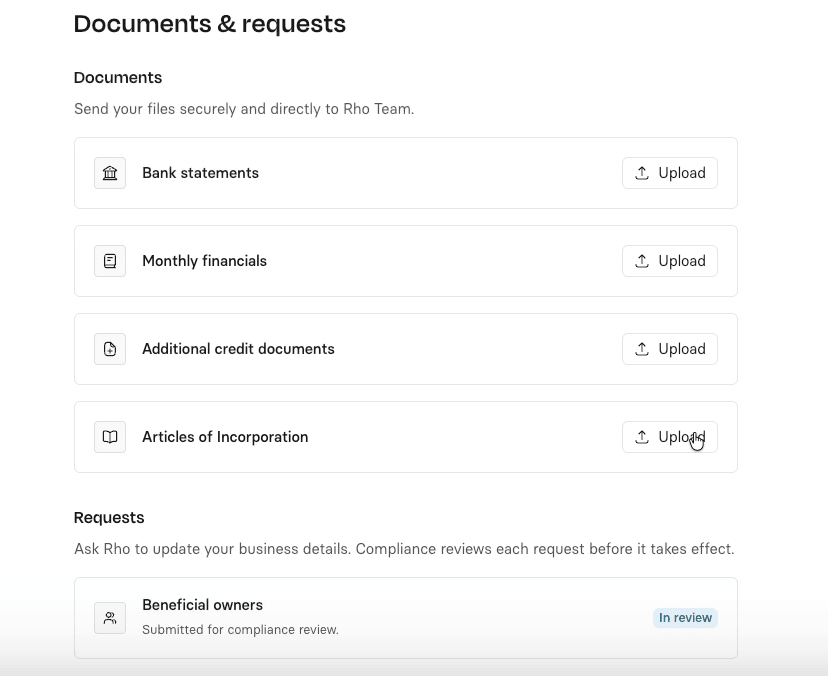
Review time
Ownership change requests typically take 24–48 hours to process.
Cancel a request
If you submitted a request by mistake or no longer need the change, open the request and select the option to cancel it.
Need help?
If you have questions about setting up or managing auto-transfer rules, contact Rho Client Service at clientservice@rho.co or call 855-743-8746.